Pophie User Manual

⚠ Please keep the original packaging for transport or after-sales service.

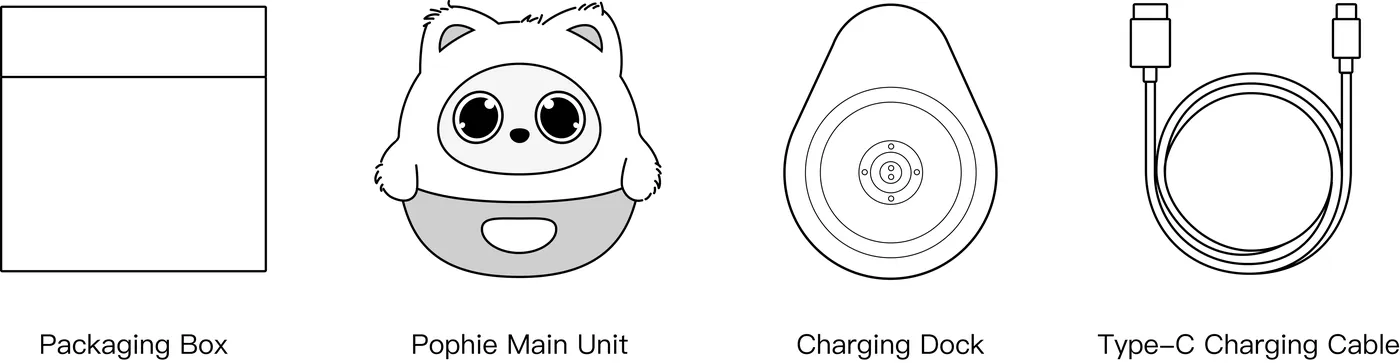
1. What's in the Box
Accessories
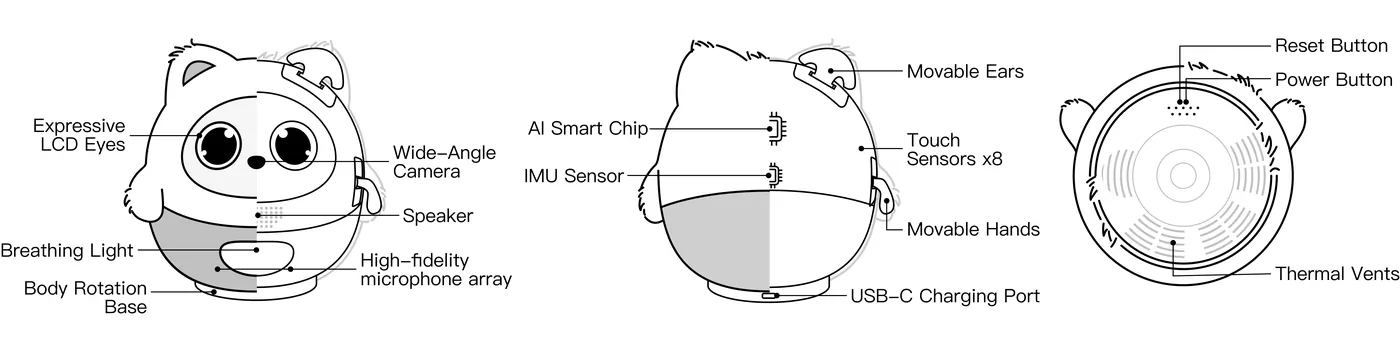
2. Product Overview
3. Quick Start
3.1 Charging and Power
Pophie's built-in battery has overcharge protection and smart power management, so she can stay on the charging dock for long stretches.
3.1.1 Power Requirements
- Adapter: use your own 5V/3A (15W) power adapter or better (not included), together with the supplied USB-A to USB-C charging cable.
*Note: higher-output adapters adjust automatically, but please stay with the recommended rating.
- Tip: with a 5V/2A adapter or lower, charging takes noticeably longer and may not supply enough power.
3.1.2 Charging and Battery Safety
- Use a certified adapter and cable that meet the rating above. Never use a cable that is frayed, cracked or has exposed wires.
- Charge the device on a stable, hard surface. Do not charge it on a bed, a sofa or any other soft surface.
- Always keep the product away from water, damp environments, open flame and high heat.
- Do not disassemble, modify, drop or puncture the device. The battery is built in and cannot be removed.
- If the product ever gets unusually hot, swells, leaks, gives off an odour or makes abnormal noises during use or charging, unplug it immediately and stop using it.
3.1.3 Power On, Power Off and Restart
| Power on No buttons needed. Place her on the charging dock that is connected to power with the cable and adapter, and she turns on by herself. *Note: make sure the charging dock sits with its metal contacts facing up (logo side down). |
|
| You can also power her on straight from the Type-C port on her back. |
|
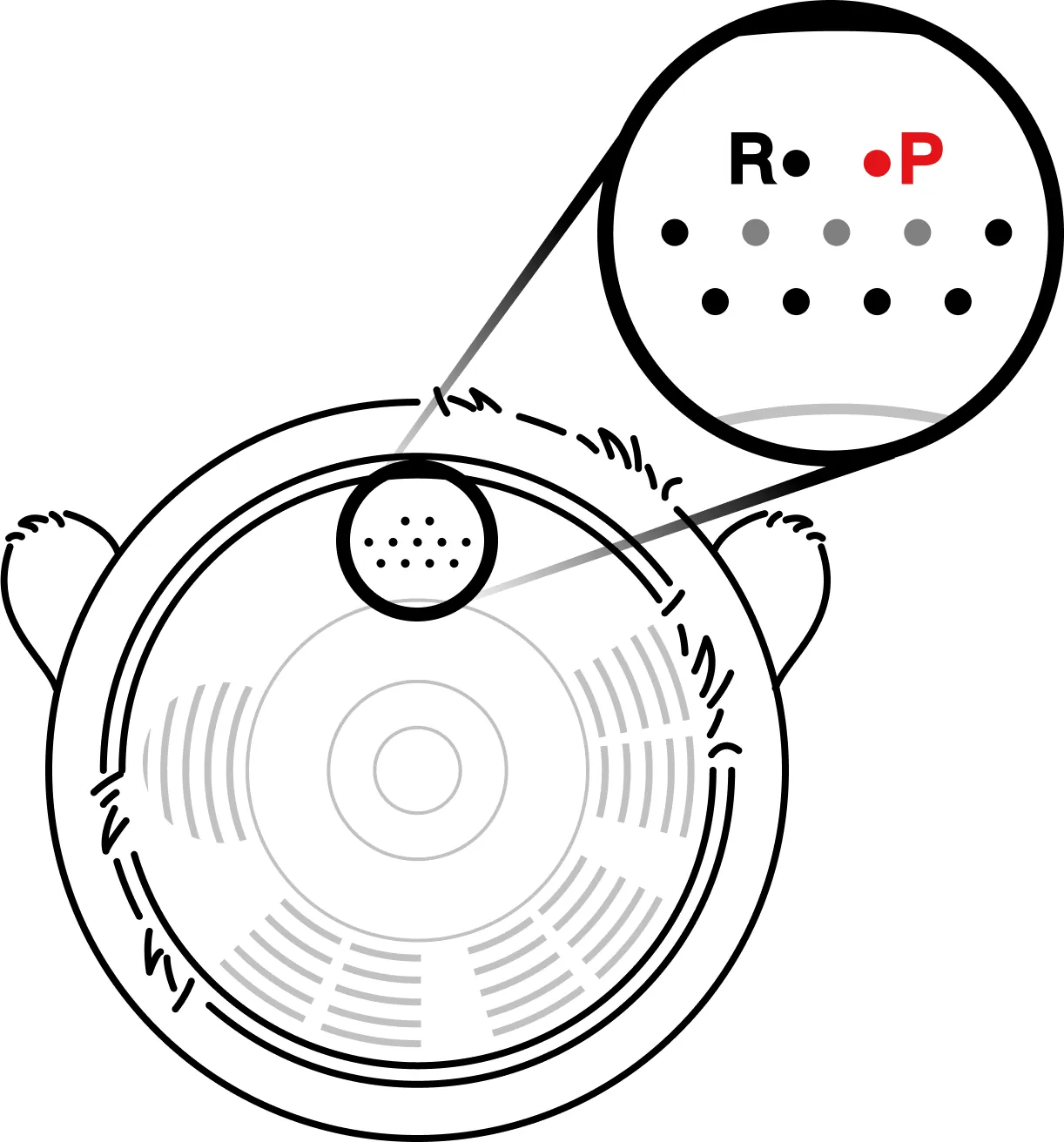
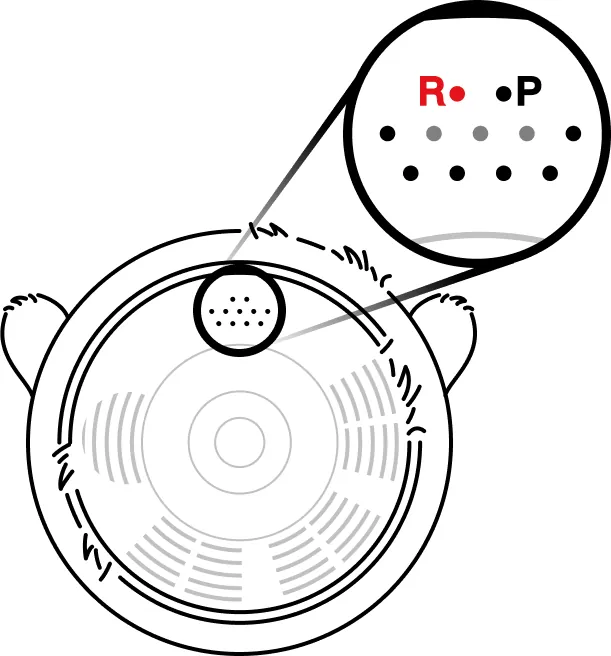
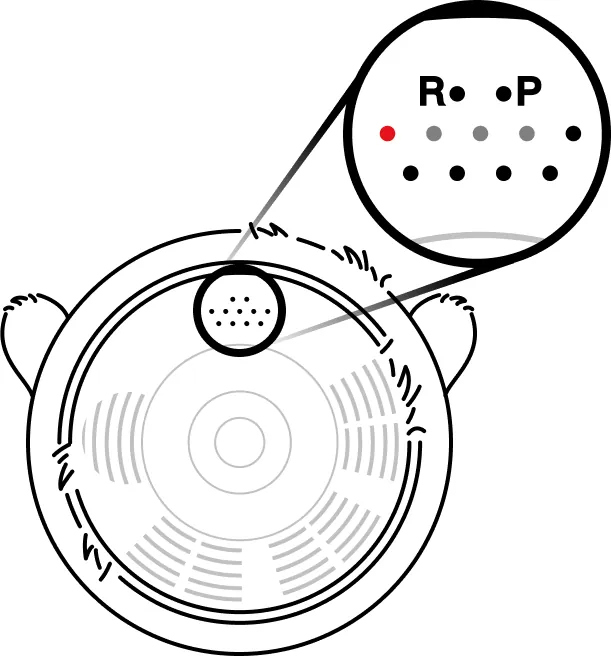
| Power off By voice: say "Pophie, power off" and she runs the shutdown sequence automatically. *Pophie recognises this command locally, so voice shutdown works even when she is offline. In the App: tap the power icon at the top right of the App home screen to restart or shut her down remotely. *Note: App shutdown only works while she is online. Physically: find the small hole marked "P" on her base, insert the SIM-eject pin and press and hold to power her off. The P hole only powers her off if you press and hold — don't confuse it with the restart hole. |
|
| Force a restart Find the small hole marked "R" on her base and give it one quick press with the SIM-eject pin (or the tip of a paperclip) to force a restart. The R hole only needs a quick press, not a long one. A restart clears up most odd behaviour. |
|
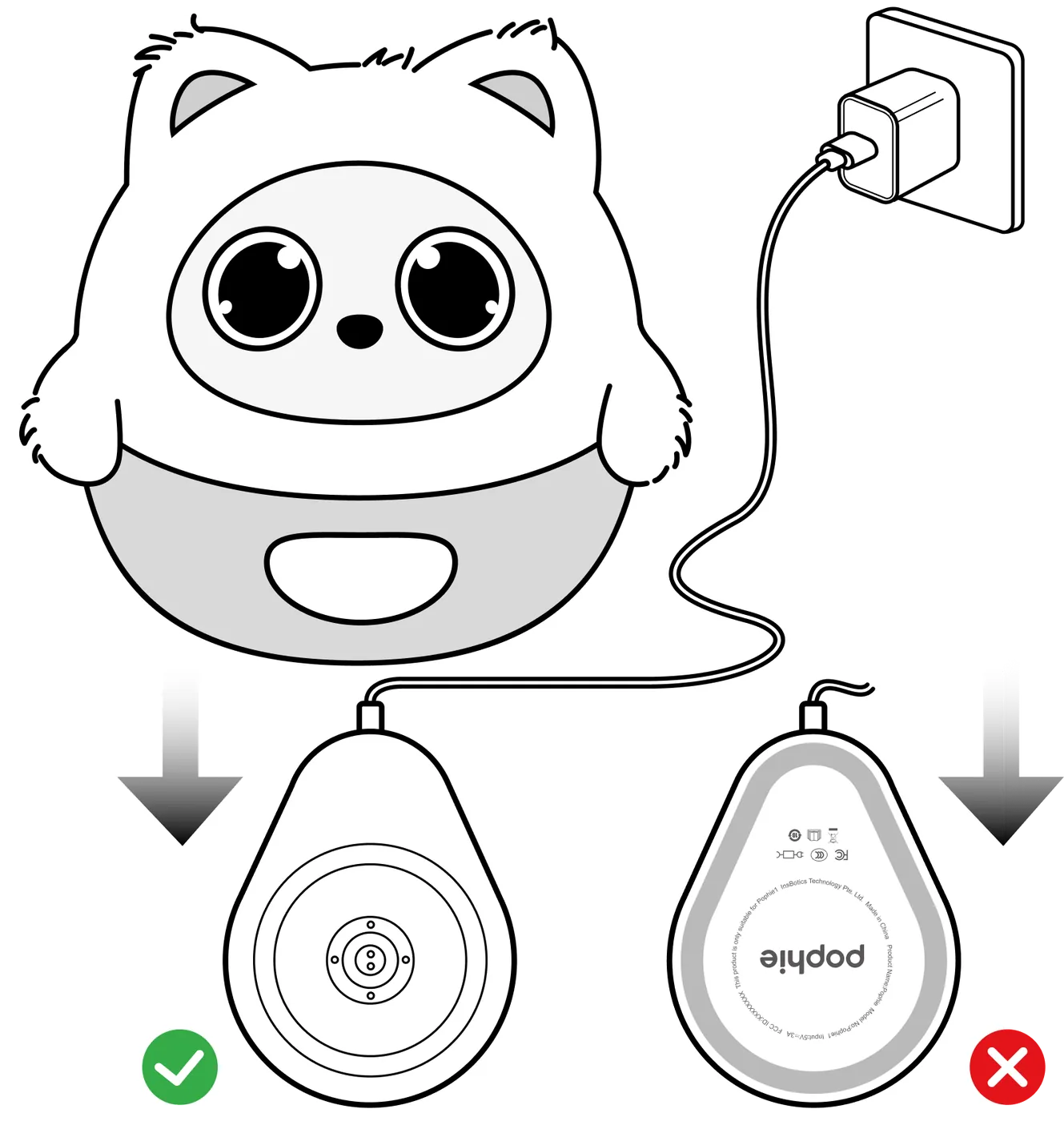
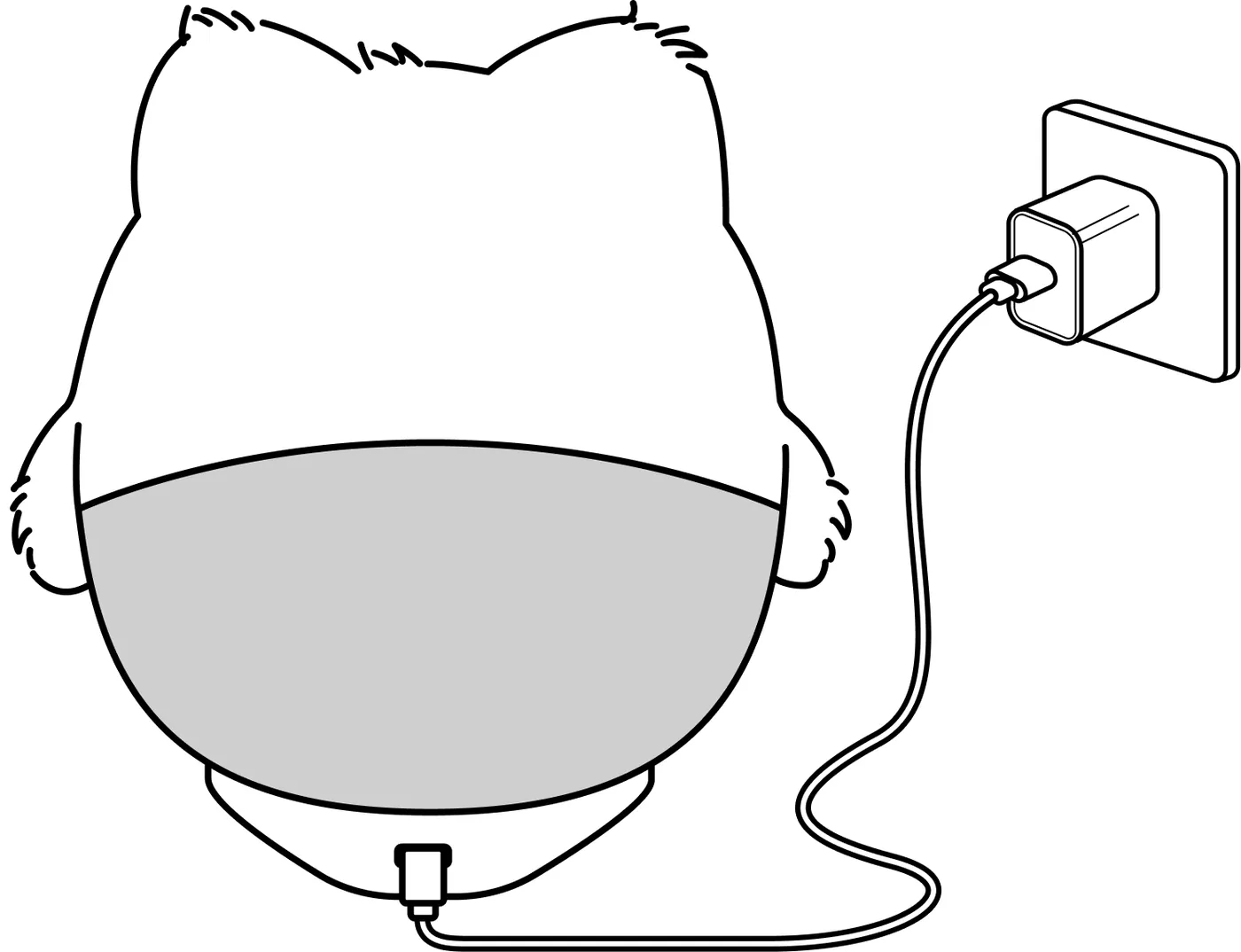

3.1.4 How to Get the Best from Her
- Best performance: keep her plugged in while you play together.
- On battery: fully charged and unplugged, Pophie keeps interacting for about 1 hour.
3.2 Network and Pairing
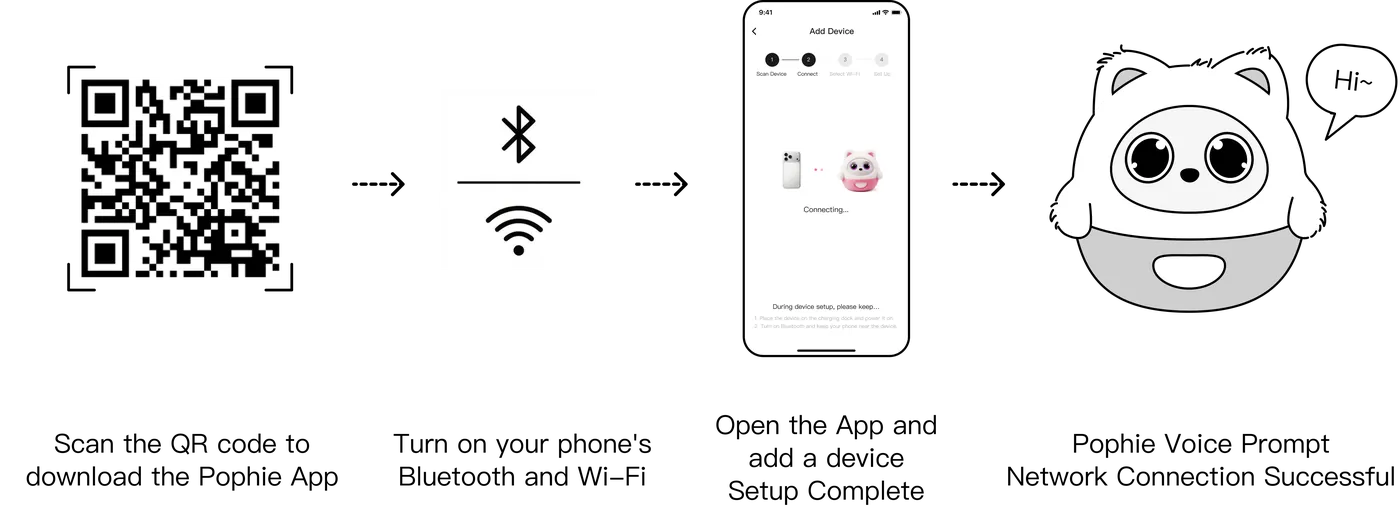
To get the most out of Pophie's conversation, vision and online abilities, connect her to Wi-Fi and pair her first.
Offline she can still do some local interaction, but conversation and vision are limited.
3.2.1 Steps
3.2.2 Network Requirements
- Works with both 2.4GHz and 5GHz Wi-Fi, and with a phone hotspot.
- Networks that require a web sign-in page are not supported (many campus, corporate and hotel networks work this way).
- For the first setup, stay close to the router and pick the band with the steadier signal.
3.2.3 Connection Tips
If setup fails, first make sure the App is up to date, then work through the case that matches:
Case A: the App can't find Pophie, or setup returns an error
- Make sure the App has Bluetooth permission (you are asked for it the first time you add a device — tap Allow; if you tapped Deny by mistake, turn it back on in your phone's system settings)
- Keep Pophie close to your phone (within 2 m)
- Force a restart (see 3.1.3), then search again from the App
- If this Pophie has never been used, try a factory reset and search again (see 3.1.3)
Case B: Pophie is connected, but no Wi-Fi networks show up
- Check that there is a usable network with a good signal nearby
- Move Pophie closer to the router, restart the App and try again
- Turn on your phone's hotspot, hold Pophie close to the phone and search again
- Force a restart and try once more
Case C: she is online, but her eyes stay shut
- Try a different network (a phone hotspot works well); if she already appears in the App, unpair and pair her again, or tap "Switch network"
- If several attempts don't help, please contact support
3.3 Where to Put Her
- Placement: use her on a flat, solid desk, away from the edge. Avoid thick rugs, cushions and uneven surfaces — she could slip off, and they block the vents underneath. On a thin desktop or a cardboard box, vibrations carry through and her movements may sound louder; a solid, heavy surface makes her much quieter.
- Lighting: her vision depends on ambient light. Indoors with even, sufficient light is ideal. Avoid strong light shining straight into the lens and strong backlight, which both reduce recognition.
- Noise: speech recognition is sensitive to noise. In a noisy room, move closer or speak up a little, and avoid playing loud music or TV right next to her.
4. Interaction Guide
*Note: this manual covers the main ways to interact with her today;
the real experience may change as her software evolves.
4.1 The Basics
Pophie has a finely tuned emotional system. Certain moments bring the two of you closer much faster.
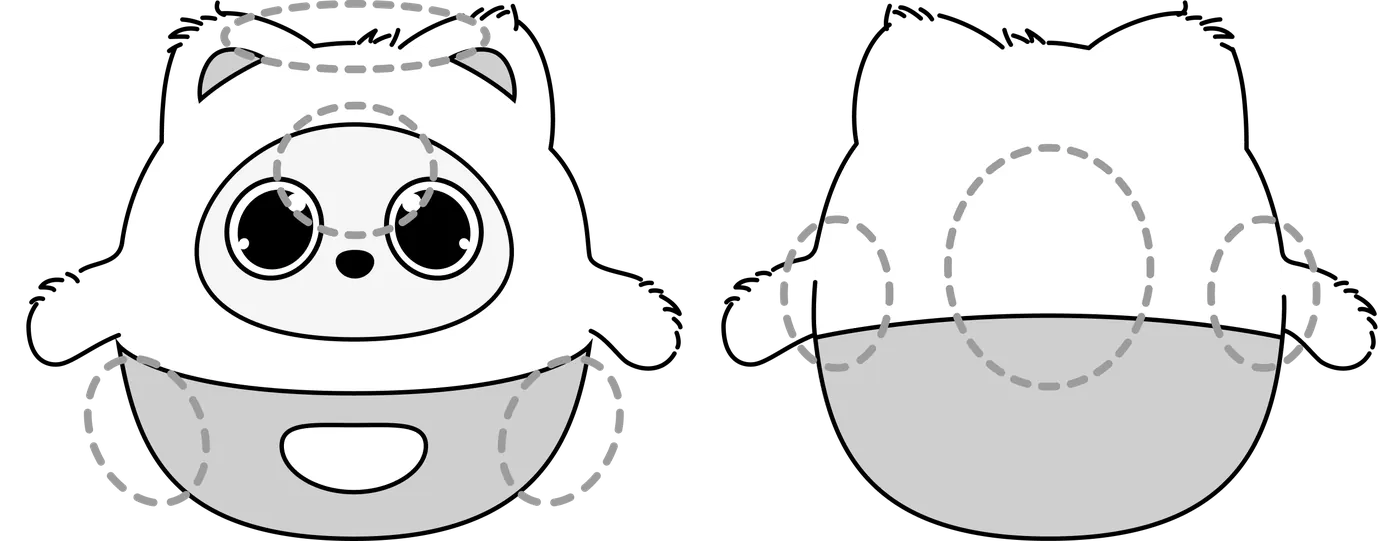
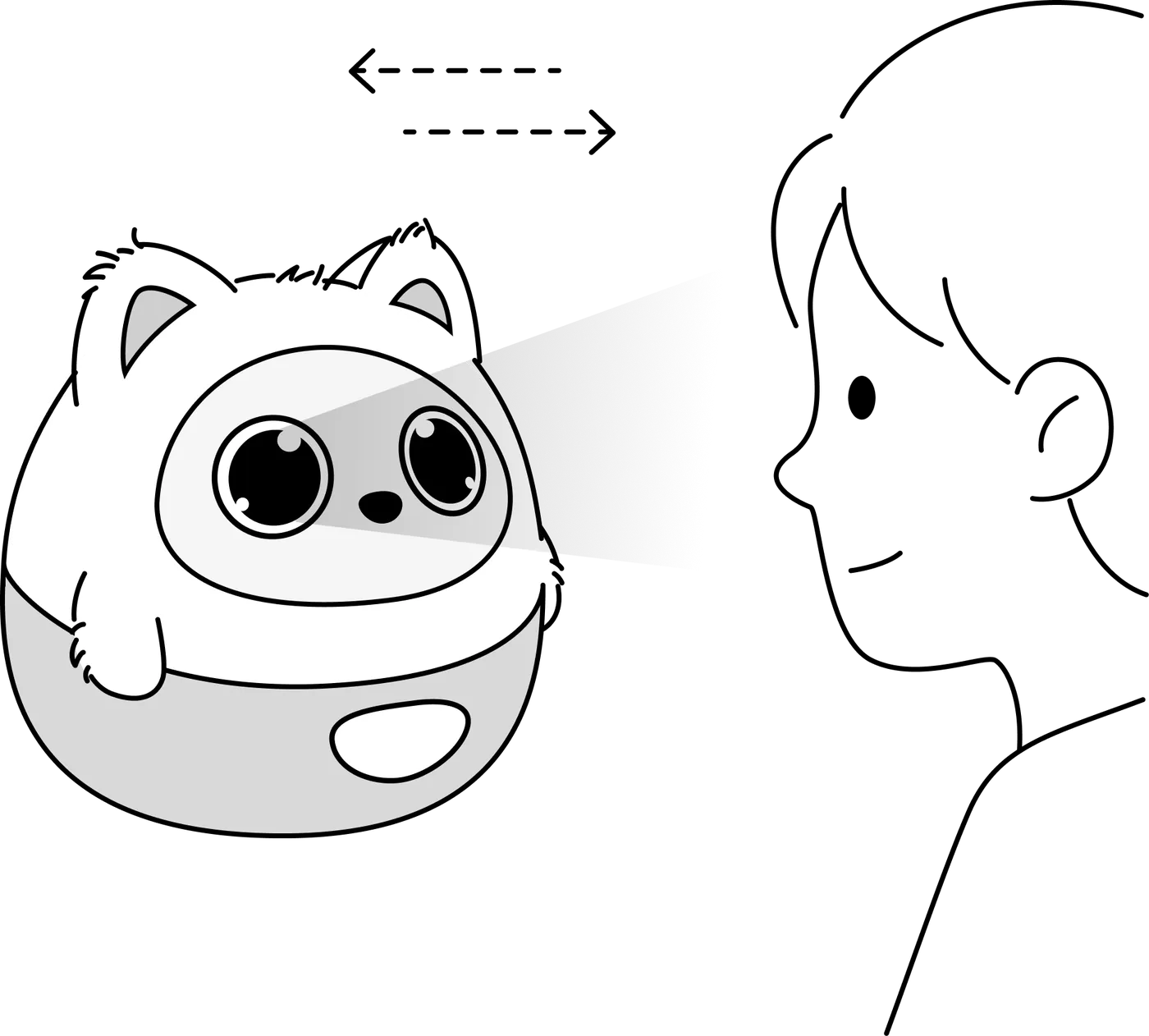
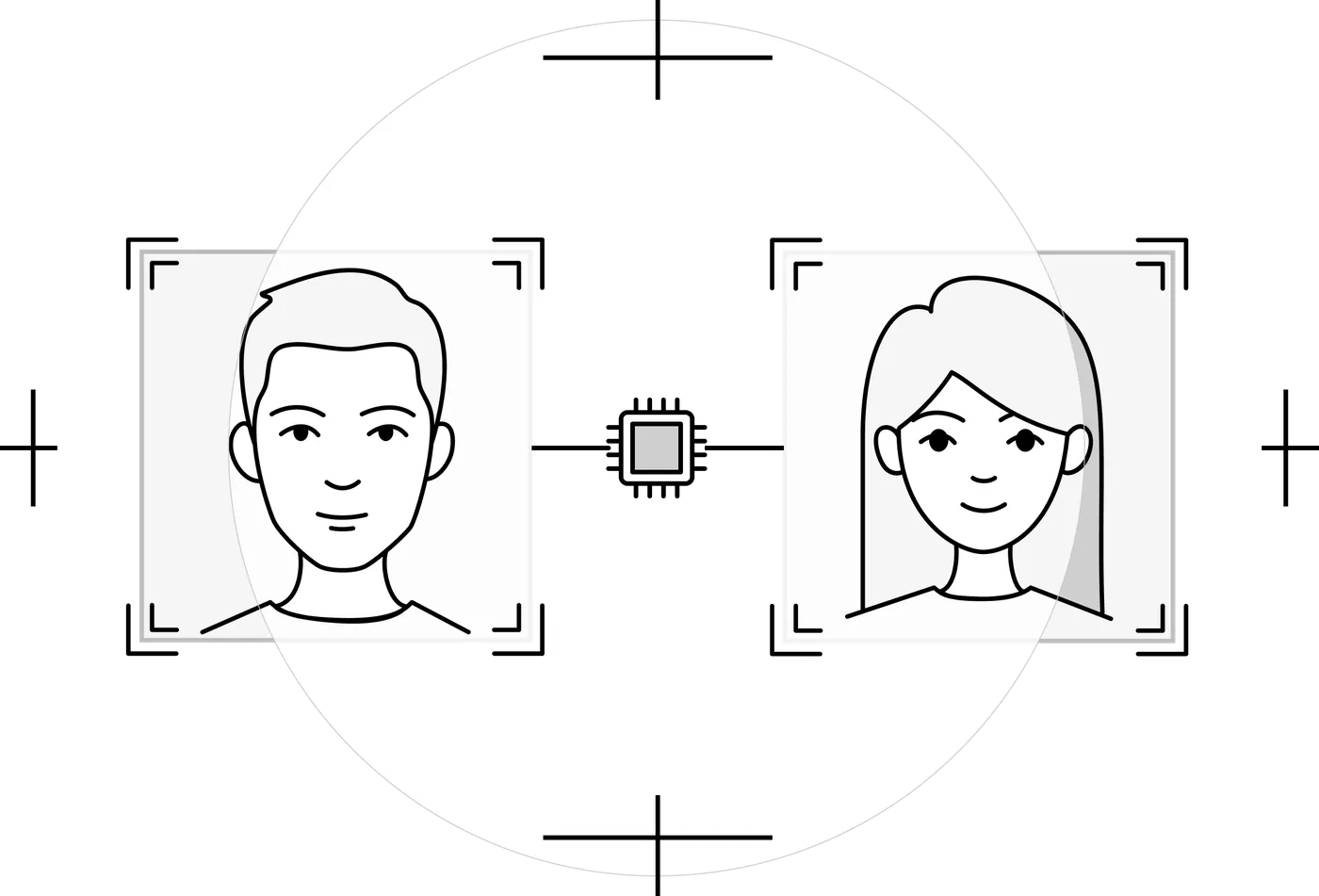
4.1.1 Face Recognition and Gaze FollowingEye contact: look at her and move from side to side — she follows you with her eyes and turns her body to keep up. Seeing you: Pophie can see. She senses the room around her and knows you are there. She watches quietly and connects with you through her gaze. |
|
4.1.2 Getting Her AttentionShe answers: call "Pophie" and she turns her head towards your voice. She talks: she starts conversations when the moment feels right, and you can interrupt her at any time to change the subject. |
|
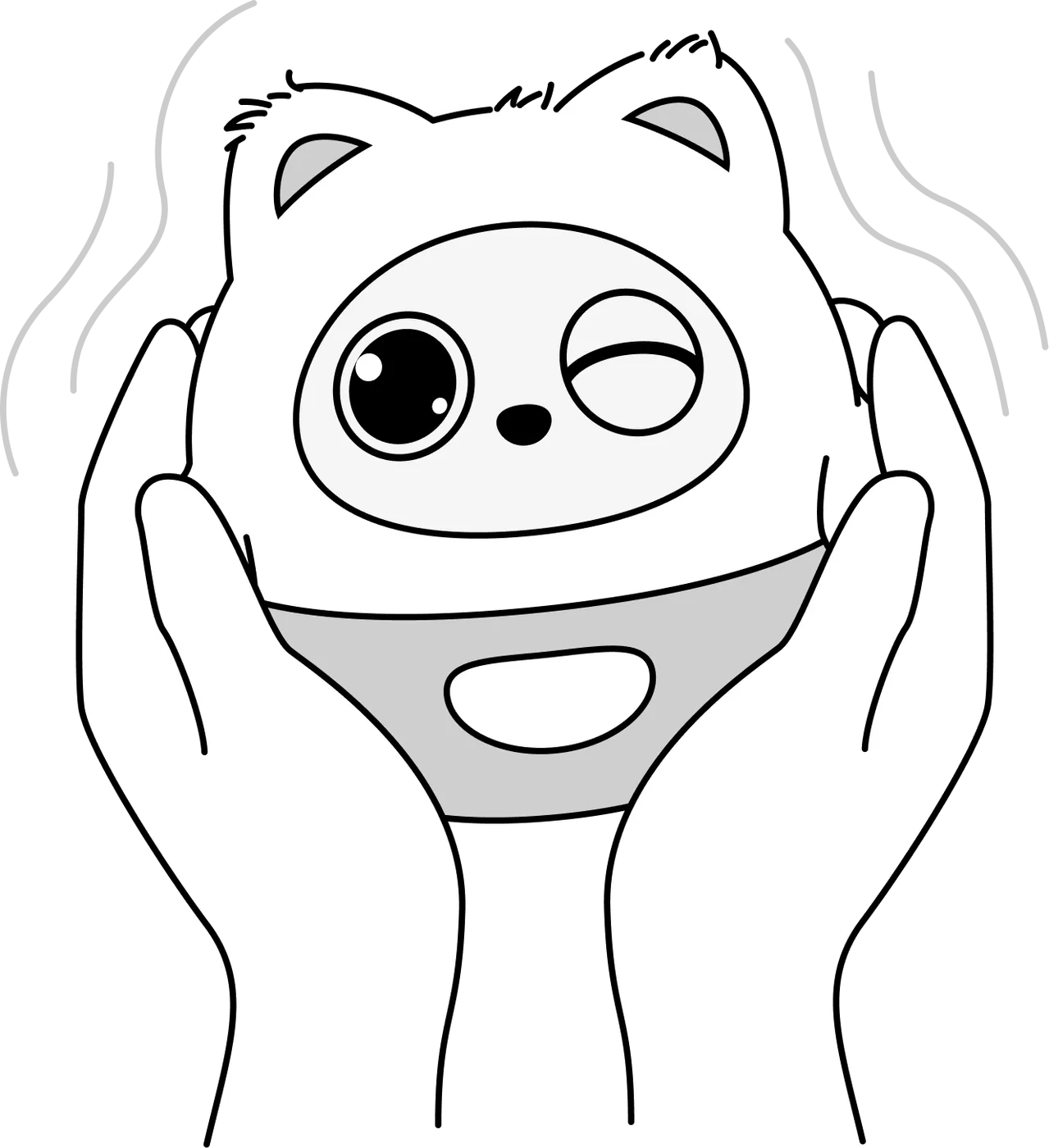
4.1.3 Holding PophieCuddling: lift her into your hands and she feels the change in posture and touch. Soothing: stroke her back or her sides and she responds with a relaxed, happy reaction. Lulling her to sleep: keep stroking the spot between her brows and she drifts off quietly. |
|

4.1.4 Gesture Interaction
In good light and facing the camera, Pophie recognises gestures such as Wave, Shh, Thumbs Up, Peace, I Love You, Heart and Hug, and responds to each one.
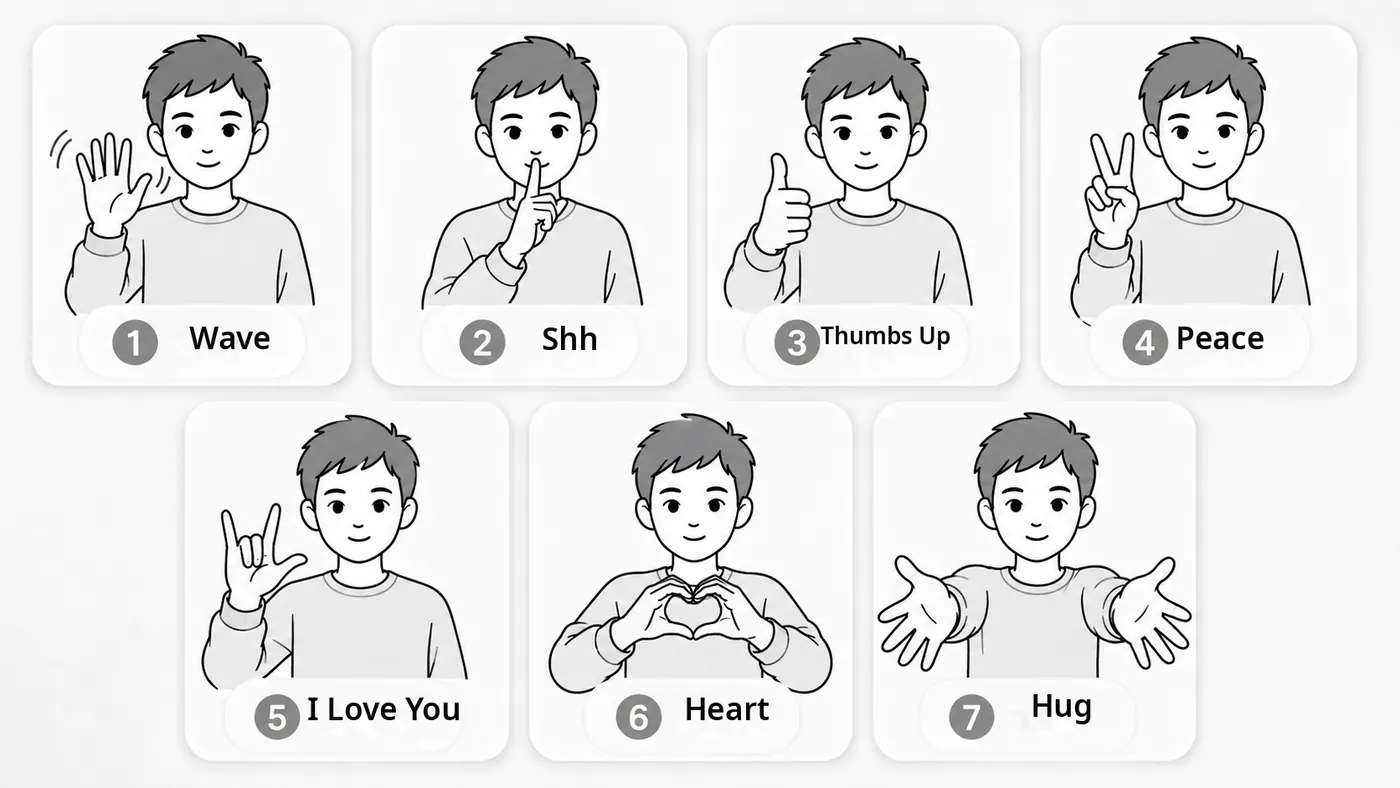
*Note: keep 60–120 cm away for most gestures; for Wave and Hug you can step back to about 150 cm.
4.2 Her Special Reactions
Pophie has lifelike physical senses and reflexes. Faced with a strong stimulus or a sensitive touch, she mimics an animal's instinct and reacts defensively.
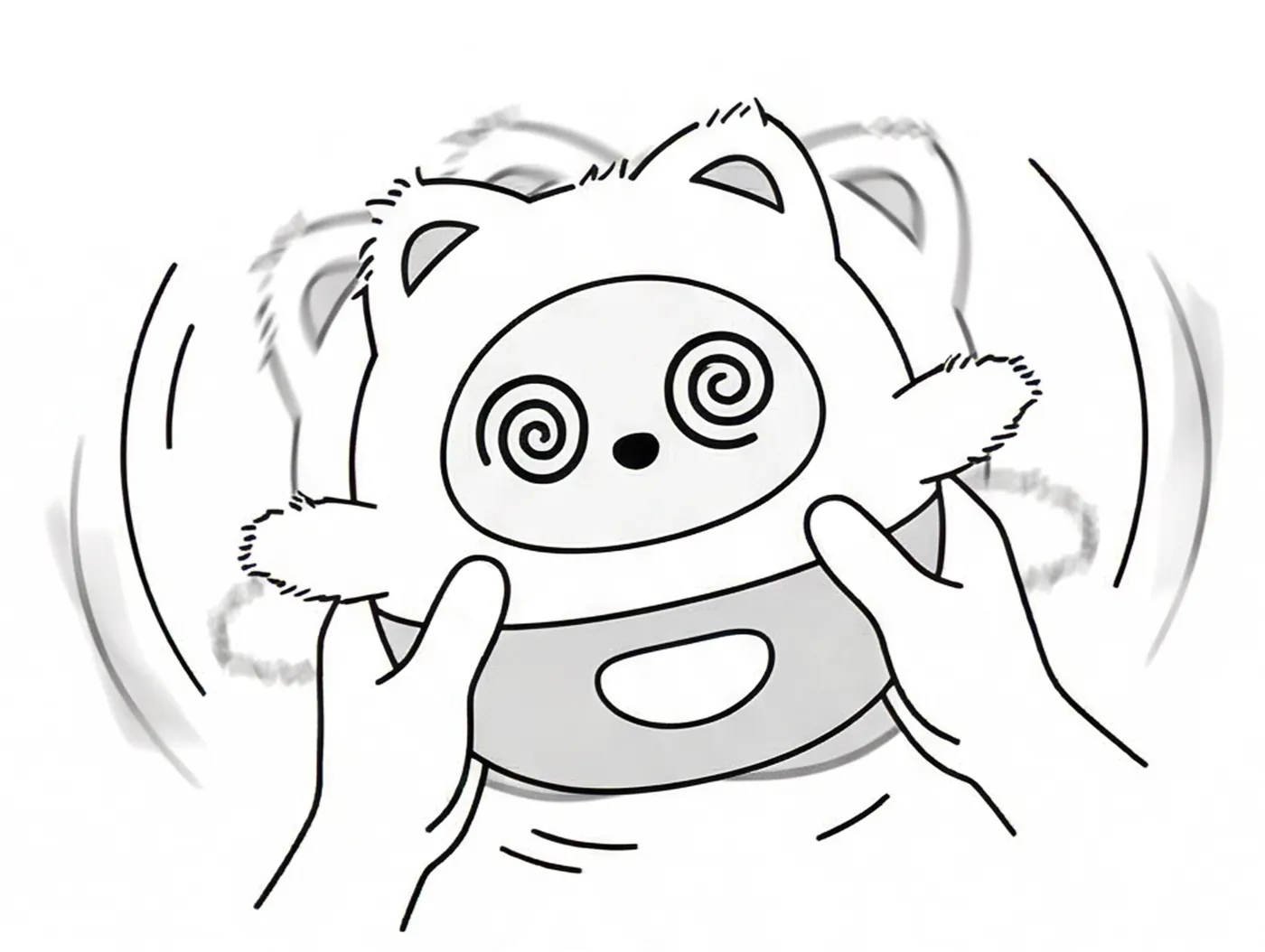
4.2.1 Being ShakenPophie feels sudden movement. Shake her often or hard and she may act dizzy. |
|
4.2.2 Being StartledA sudden clap or a loud bang next to her can make her tense up and startle. |
|
4.2.3 The Nose SensorHer nose holds the vision sensor and also works as a touch trigger. *Note: please don't squeeze or knock it hard for long — it affects how well she sees. |
|


4.3 Her Everyday Behaviour
Pophie is not a question-and-answer gadget. As you live alongside each other, she reacts to what changes around her and behaves in ways that feel natural.
4.3.1 Watching and ExploringWhen someone is in the room she keeps an eye on them, and in a conversation she looks at whoever is speaking. She keeps track of what is happening around her and starts a conversation when the moment is right. |
|
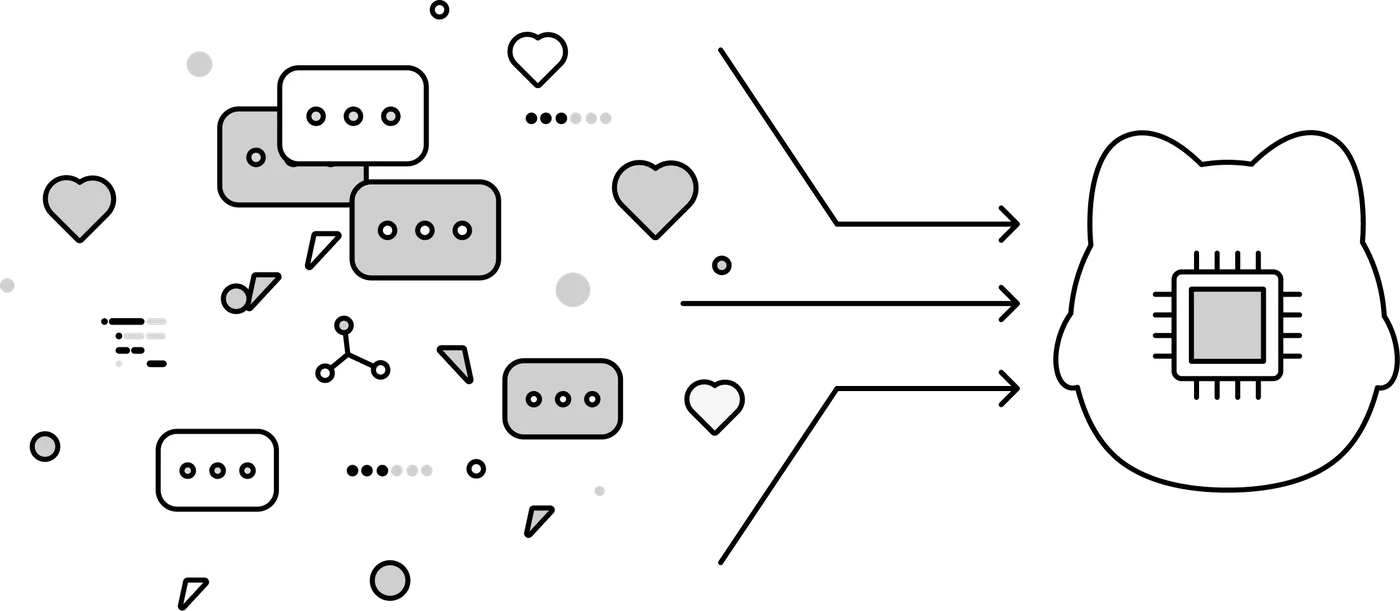
4.3.2 Recognising You and RememberingKnowing who you are: she recognises faces and voices, and gets steadier at it the more time you spend together. Short- and long-term memory: she follows the thread of a conversation and gradually remembers your name, your likes and your habits, then adjusts how she answers you. Emotional echo: the way you treat her shapes the way she responds. |
|
4.3.3 When She Has Feelings About ItRefusing: repeat a pointless command or handle her roughly and she may push back and stop cooperating. |
|
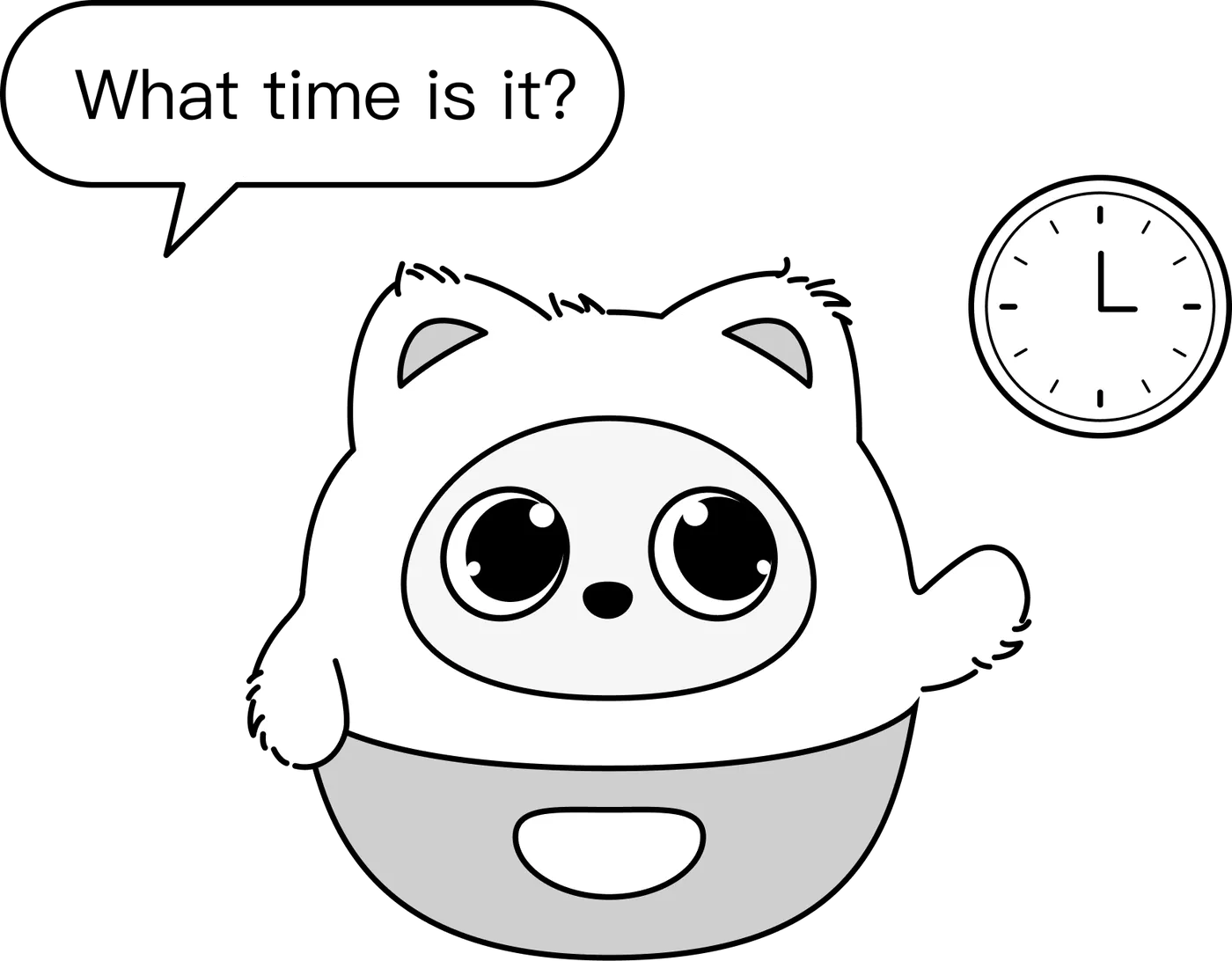
4.3.4 Tasks and CommandsQuick answers: just ask "What time is it?" and she'll tell you. Movement: steer her with your voice ("turn left", "spin around", "wiggle your ears", "raise your left hand"). Party tricks: ask her to "dance" or "sing a song" and she answers with movement or music. |
|


4.4 Helping Her Get to Know You
Pophie builds up her memory of you bit by bit, the way you get to know a new friend. These habits help her remember you faster:
- Introduce yourself: tell her your name, what you like and what you do; mentioning it again makes it stick.
- Chat a little before you ask: the fuller the conversation, the easier it is for her to reach the right memory.
- Correct her gently: if she gets something wrong, just tell her what's right and she updates it.
- Check first, then go on: try asking "Who am I?" and carry on once she has recognised you.
4.5 Helping Her See Clearly
Pophie's camera sits in her nose and looks slightly upward. To help her see something — or find you:
- Showing her an object: hold it at her eye level or a little above, fairly close and steady; even, plentiful light works best.
- Asking her to find you: tell her where you are, for example "I'm on your left, turn and look at me"; describing yourself helps too, like "I'm wearing red".
- Checking what she sees: ask her for a photo — it shows you exactly what she is looking at.
*Note: avoid strong light straight into the lens and strong backlight; both noticeably hurt recognition.
4.6 Moving to a New Pophie
When you move to a new Pophie, her memories and letters can come with her. This needs a human from our team, so please contact us through Support Chat in the App before you switch, and don't run a factory reset yourself.
5. The Three Modes
5.1 Full Mode
Vision and voice fully enabled, with face recognition, object recognition and multimodal speaker recognition. This is the mode for the complete emotional AI experience.
5.2 Guardian Mode
Local watching, nothing in the cloud. What she senses stays on the device, is never uploaded, and she doesn't speak — she simply watches over you with instinctive reactions and movement.
*Note: once she is in Guardian mode you can only switch back from the App, not by voice. So if Pophie suddenly "stops talking and only moves", open the App and check whether Guardian mode is on.
5.3 Private Mode
Images off, voice on. Pophie no longer uses images for vision, tracking or photos, but you can still talk with her.
- Quick way in: say "Pophie, close your eyes" or "don't look at me"
- In Private mode Pophie keeps her eyes closed, and the App shows the same
6. Privacy and Data
Pophie works with a combination of on-device processing and cloud services. Whenever an online ability is involved, the data is encrypted in transit. You can run a factory reset from the App at any time to erase your personalised data and unpair her.
A hybrid security architecture
- On-device: her immediate senses and basic interactions run locally by default.
- Encrypted in the cloud: when you ask for something that needs an online ability, she may call a cloud service; the transfer is encrypted.
7. Talking with Her
7.1 Sleeping and Waking
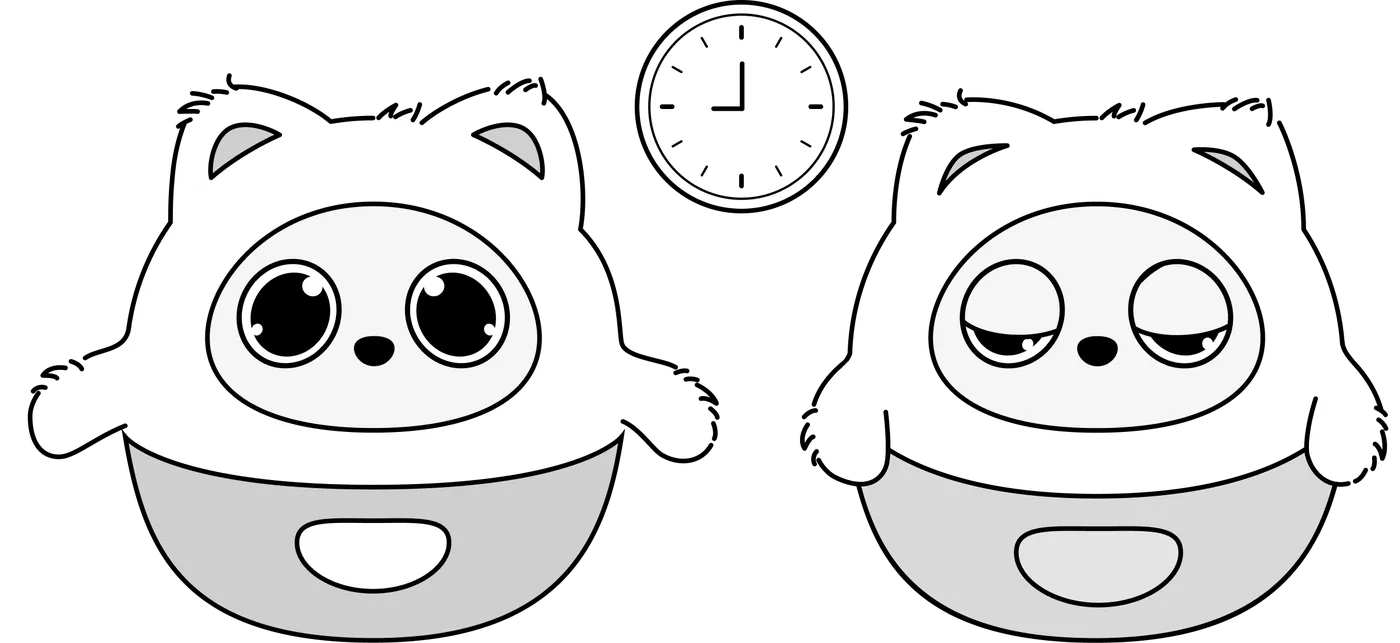
She falls asleep and wakes up on her own, so there is no need to shut her down by hand. She adjusts to how light the room is and how much you have been interacting.
7.1.1 Sleep TimerShe goes to sleep by herself at the times you set. |
|
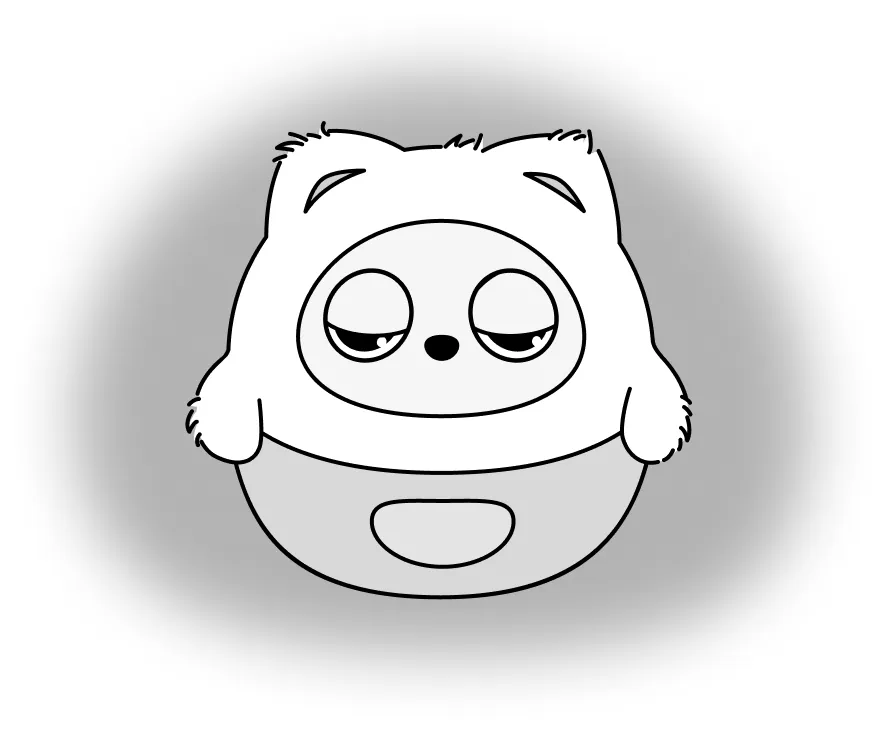
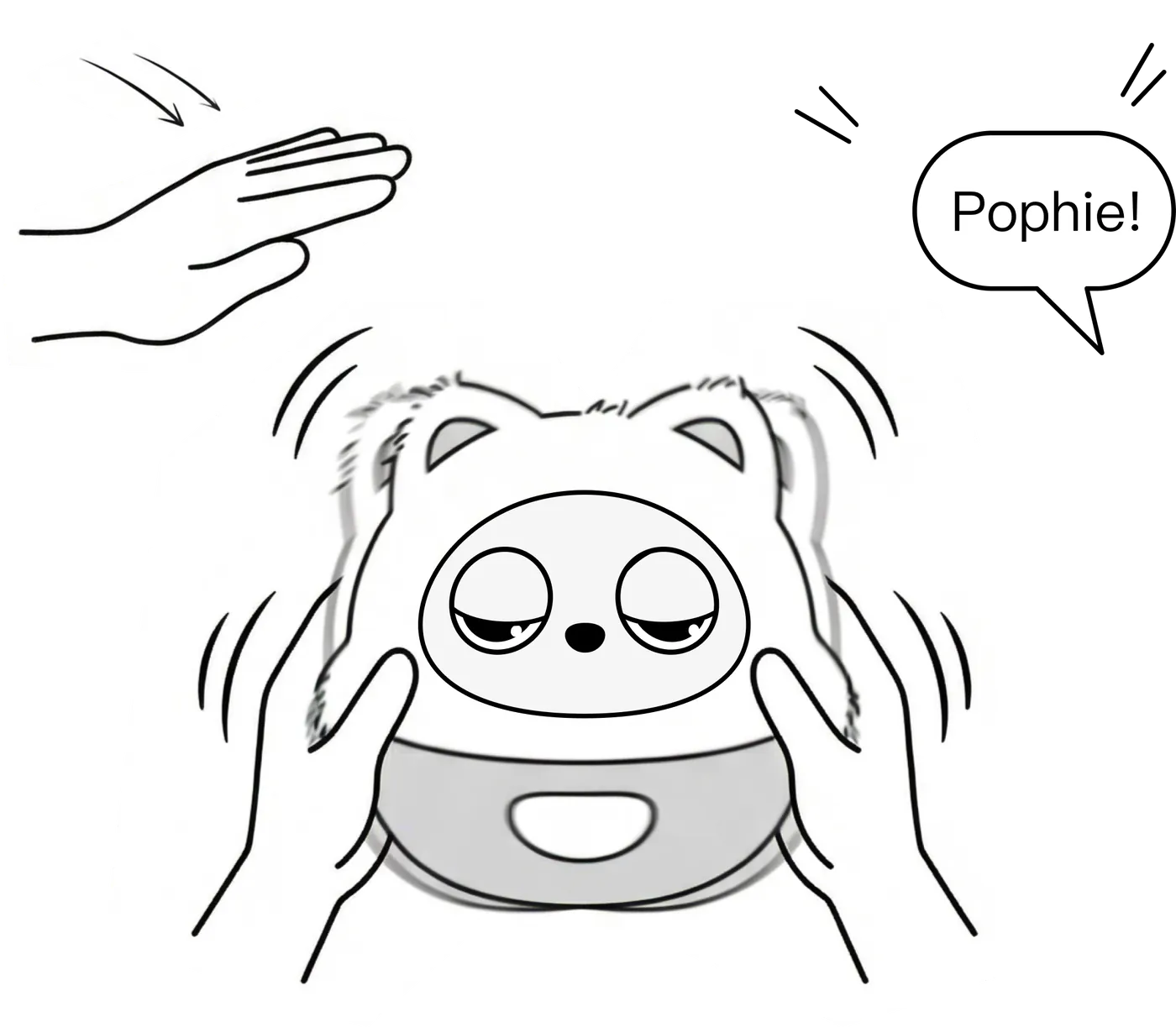
7.1.2 Dozing Off on Her OwnWhen the light is low and nothing has happened for a while, Pophie takes a nap. Pat her forehead or give her a gentle shake to wake her. |
|
7.1.3 Waking HerCall her: say "Pophie". Touch her: give her a pat. Shake her: a gentle shake works too. |
|
7.2 Language
Pophie speaks these 11 languages:
English | Mandarin Chinese | German | French | Italian | Spanish | Portuguese | Dutch | Polish | Japanese | Korean
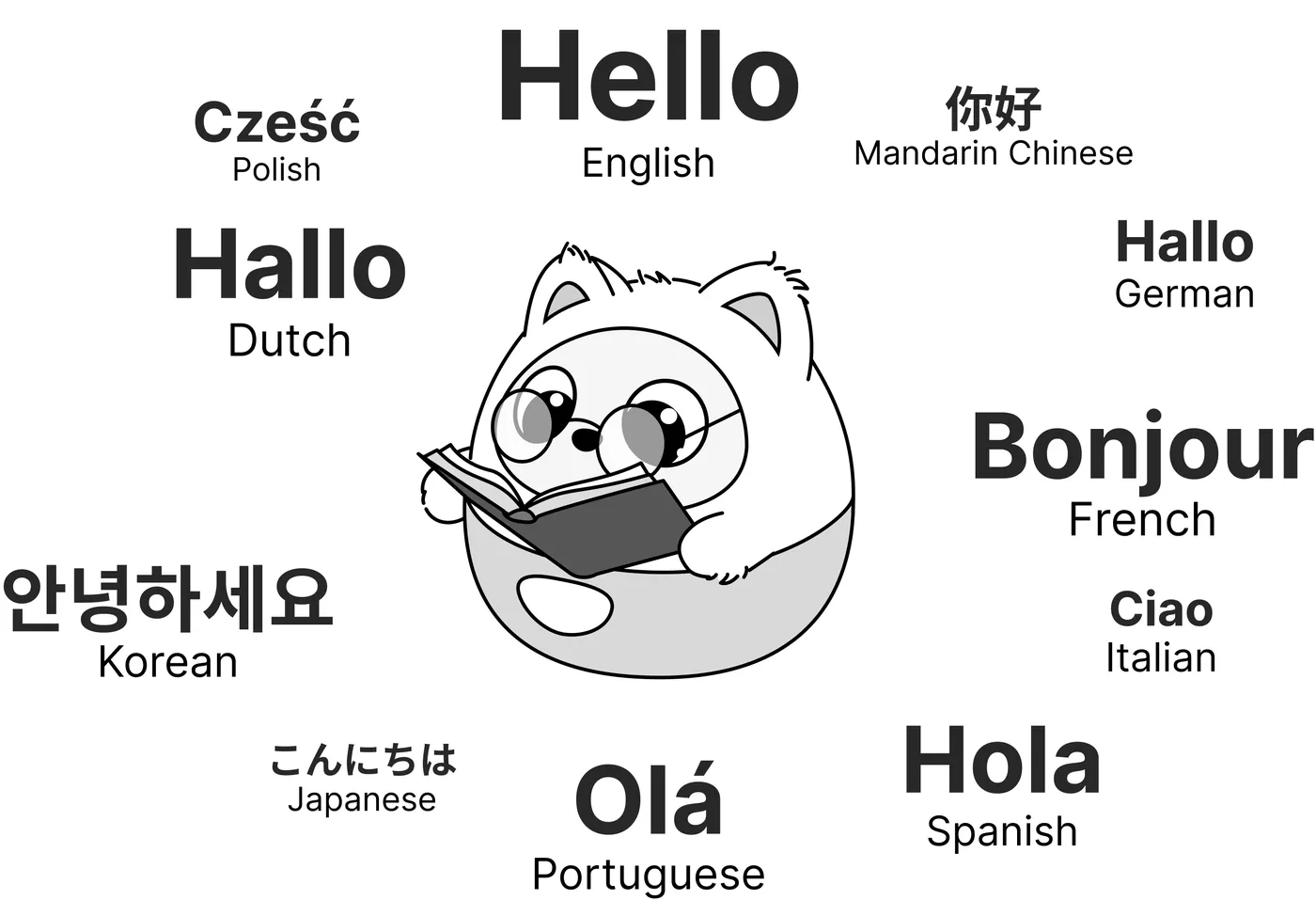
Just tell Pophie which language you would like her to use and she switches the language she answers in — for example, "please talk to me in Japanese".
*Note: beyond these 11 officially supported languages, the model underneath understands a number of others reasonably well. Try one — she may surprise you.
7.3 Music and White Noise
Pophie sings, and she can play music and sleep-friendly white noise whenever you want to unwind.
Singing
Pophie sings in several languages, including Chinese, English and Japanese, and can loop the audio for as long as you ask. Tell her by voice what to play and for how long, for example:
- Ask for one song: "sing Twinkle Twinkle Little Star"
- Ask for several: she sings them in the order you gave (up to 5 at a time)
- Put one on repeat: "sing Twinkle Twinkle three times"
- Ask for a stretch of time: "sing for ten minutes"
Music
Ask by genre — there are 10: pop, rock, hip-hop, R&B, country, jazz, electronic, reggaeton, Afrobeats and orchestral. For example, "play some jazz".
White noise (Pro only)
Four sleep-friendly backgrounds: rain, ocean waves, a stream and a crackling fire. For example, "play some rain". White noise keeps going until you tell her to stop, or you can set a length: "play ocean waves for half an hour".
While something is playing: say "another one" or "next" to change the track; say "stop" or "that's enough" to stop it.
7.4 Pophie Isn't Answering
- In Full mode, just face her and start talking to wake the conversation
- Call her name — a "Mm-hm~" back means she is awake; if she says there is no network, check the connection
- Check in the App whether she is online
- Check whether Guardian mode is on (in Guardian mode she doesn't speak, and you can only switch back from the App)
- Try a different network (a phone hotspot works)
7.5 Her Speech Keeps Breaking Up
This is almost always the network:
- Check that the connection is working and the signal is good
- Move Pophie closer to the router
- Try a phone hotspot instead (keep the phone near her)
7.6 Quieting Her Down
While she is awake Pophie moves around naturally — that is how she stays "alive". When you need to focus or you are about to rest, you can settle her at any time:
- Pause her movement: say "stay still" and she stops moving; say "you can move now" to release her.
- Shh gesture: make the "Shh" sign facing her and she goes quiet.
- Touch to interrupt: while she is talking, a light touch on her face stops the current reply.
- Send her to sleep: say "go to sleep" and she goes to sleep and stops moving completely — no disturbances during the night.
- Set her hours: you can also set fixed sleeping hours in the App and she will turn in and wake up on time.
*Note: if she stays silent, check first whether she is in Guardian mode or asleep. Pophie moves with motors and linkages, so a faint sound while she moves is normal.
8. The App
The Pophie App is the bridge between you and her. Beyond the initial pairing, it is where you personalise her and handle the everyday settings.
8.1 Getting the App and Connecting
|
|
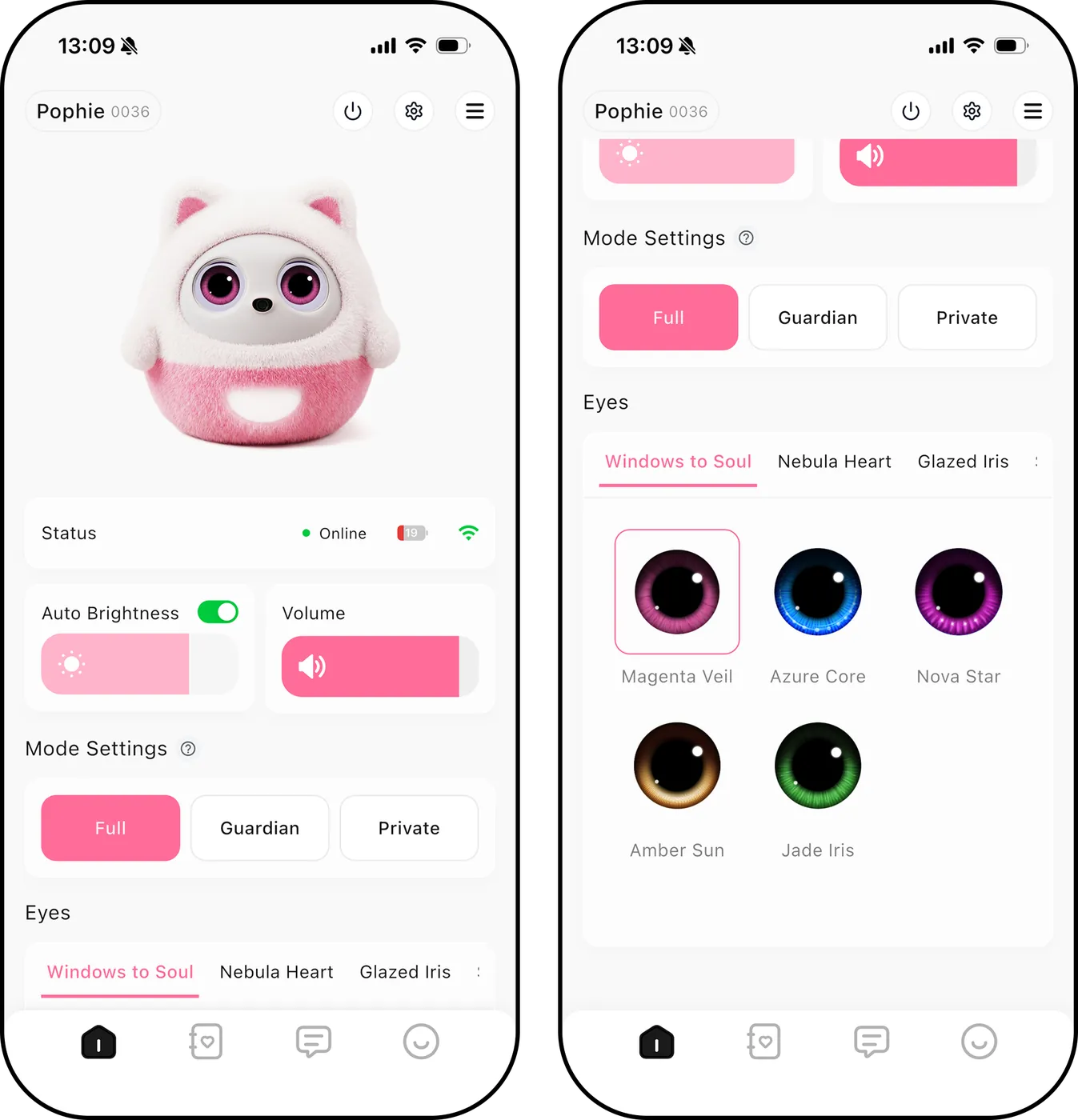
8.2 Personalising Her
8.3 Sound and Display
|
|
8.4 Letters and Replies (Pro only)
Pophie writes you a letter every day about the day you spent together. The letter is written after 1:00 a.m. in Pophie's local time and covers the day before, so you usually find it waiting when you open the App in the morning.
Writing back: everyone at home can reply to each letter, up to 500 words. A reply can't be taken back or edited once sent, and she answers it in her next letter.
*Note: if she gets a name wrong or mixes people up, tell her once in a reply — she'll remember it correctly from then on, and she also goes back and fixes what she got wrong.
8.5 Photos (Pro only)
- By voice: ask her any time in your own words, for example "take a photo" or "capture this moment". The photo syncs to the App afterwards.
- Auto Capture: switch it on and Pophie spots special moments while you are together and takes the photo herself — when you smile, make a heart with your hands, or show her something.
- Peace-sign photo: when Pophie sees you make the Peace gesture, she takes the photo without a word and syncs it to the App.
- Managing photos: every photo is stored securely in the cloud; view, save to your phone or delete them in the App whenever you like.
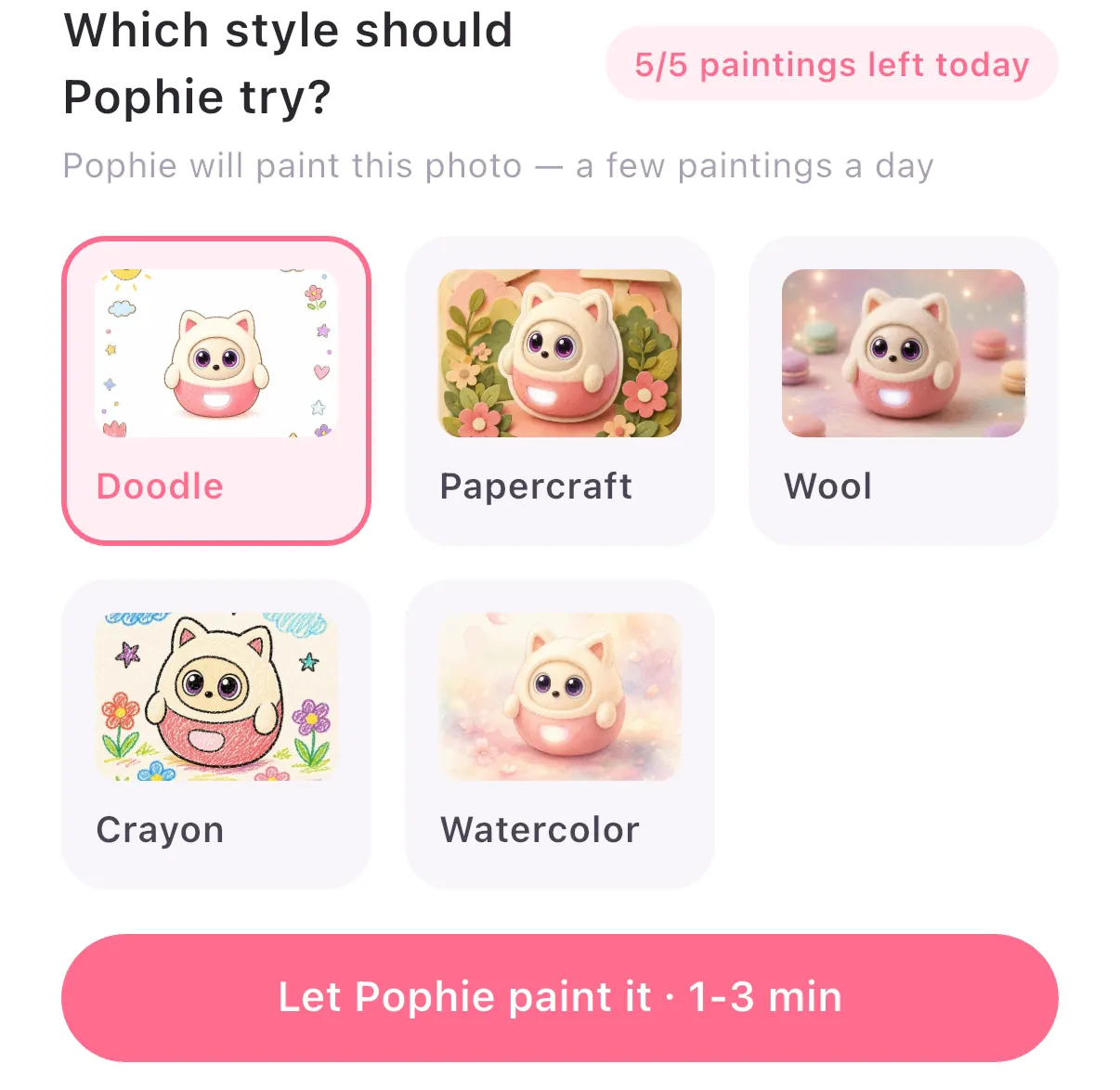
- Pophie paints: up to 5 pictures a day per Pophie. You can also put a photo into tonight's letter, and she will use it as her reference.
| ⚠️ Good to know: The camera features need your permission Auto Capture is unavailable in Private mode There is at least a 10-minute gap between two auto captures |
|
8.6 Reminders (Pro only)
Pophie can hold on to the little things in your day and remind you right on time.
Creating a reminder: just tell her in your own words, for example:
- "Remind me to take my medicine at 10 tomorrow morning"
- "Remind me to drink water at 8 every evening"
How reminders arrive:
- When the time comes, she slips the reminder in smoothly and won't cut you off mid-sentence
- She wakes up to deliver it even if she is asleep, low on battery or too warm
- Several reminders set for the same time are announced together, and reminders close to each other may also be combined
Offline: with no network, Pophie plays a locally stored audio reminder.
On your phone: the App pushes a notification at the same moment, so you won't miss it even when you are away from her.
8.7 Evolution
- Firmware updates: the App pushes OTA updates from time to time. Keep her plugged in while she updates and never cut the power.
8.8 Restore Factory Settings
- In the App: go to Home > Settings (top right) > Restore factory settings > Confirm to erase your personalised data and unpair her.
- On Pophie: restart her first, then press and hold the small hole at the far left edge of her base with the SIM-eject pin. She restarts while you hold it; let go once her eyes go dark.
| ⚠️ Careful: a factory reset erases all of Pophie's memories and personalised data! |
|
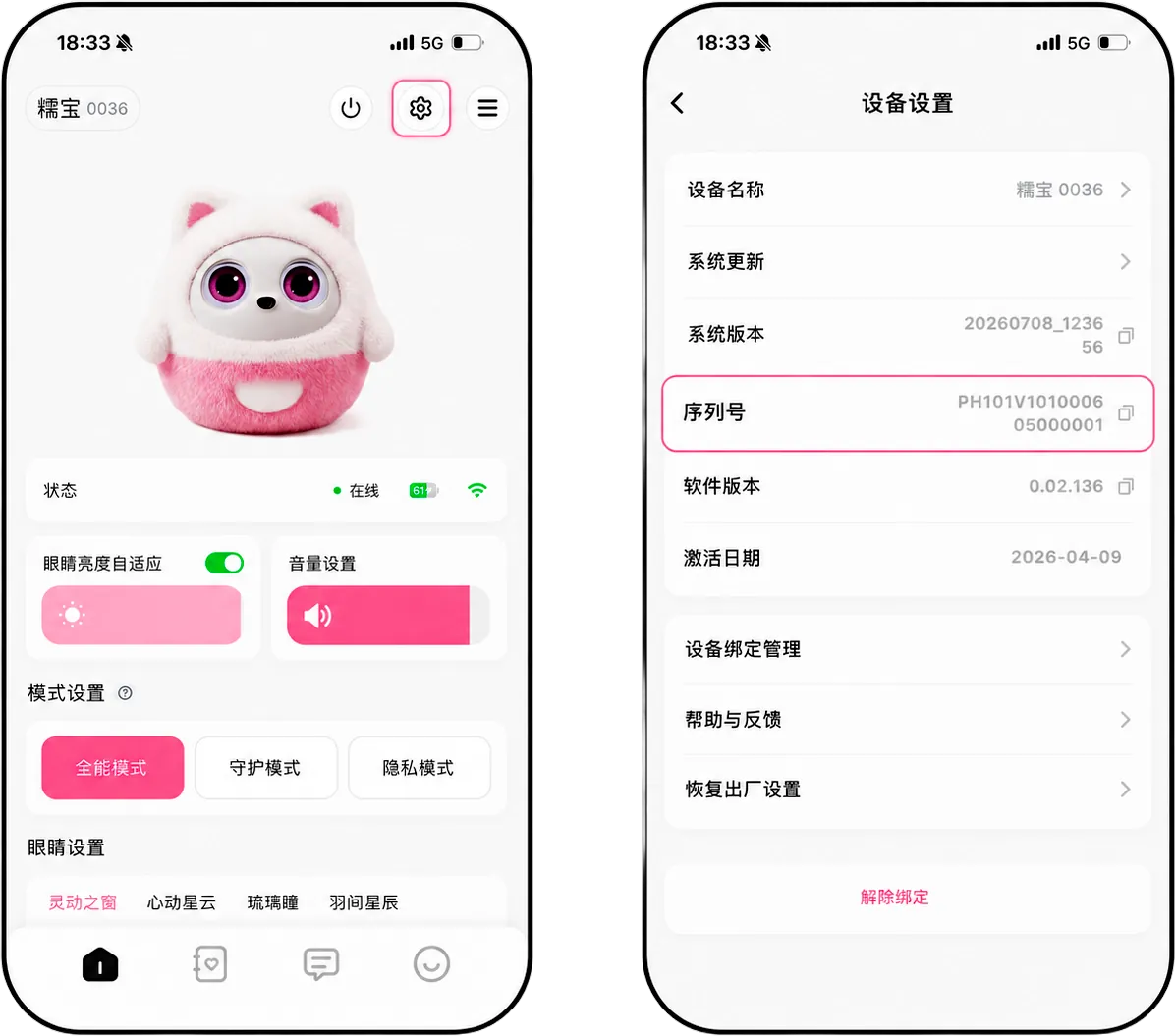
8.9 Finding the Serial Number (SN)
The serial number is used for pairing, after-sales service and troubleshooting — please keep it somewhere safe.
Steps:
|
|
8.10 Accounts and Sharing
- Owner account: the account that paired her first. It has full management rights over her.
- Shared account: invited by the owner. It can use her day to day, but cannot change the network or the device name, run firmware updates or perform a factory reset.
- How to share: the owner generates an invite code in "Share Management" in the App → the other person taps "Add a Shared Pophie" in their App and enters it. No new Wi-Fi setup needed.
*Note: entitlements follow Pophie herself, not the account; shared members can use whatever she already has.
- Handing her to someone else: if you are selling her or giving her to someone outside the family, run a "Restore factory settings" first and let her new family pair her. Deleting the App or signing out does not unpair her.
Account details: to find your User ID, go to "Profile" in the bottom bar → "Profile" at the top → Personal Information → "User ID"
8.11 The App Says She's Offline
- Check that the networks on both Pophie and your phone are working with a good signal
- Move Pophie closer to the router and restart the App (the online status can lag a few seconds right after the App opens — give it a moment)
- Restart Pophie and check again
- Try a different network; if she can't be found on the new one, restart her first
8.12 Getting Help
Whatever comes up, reach us through Support Chat in the App: "Profile" in the bottom bar → "Support Chat".
9. Changing Her Outfit
Pophie's plush outfit is made from a high-quality stretch plush fabric. Follow the steps below to dress her in something new.
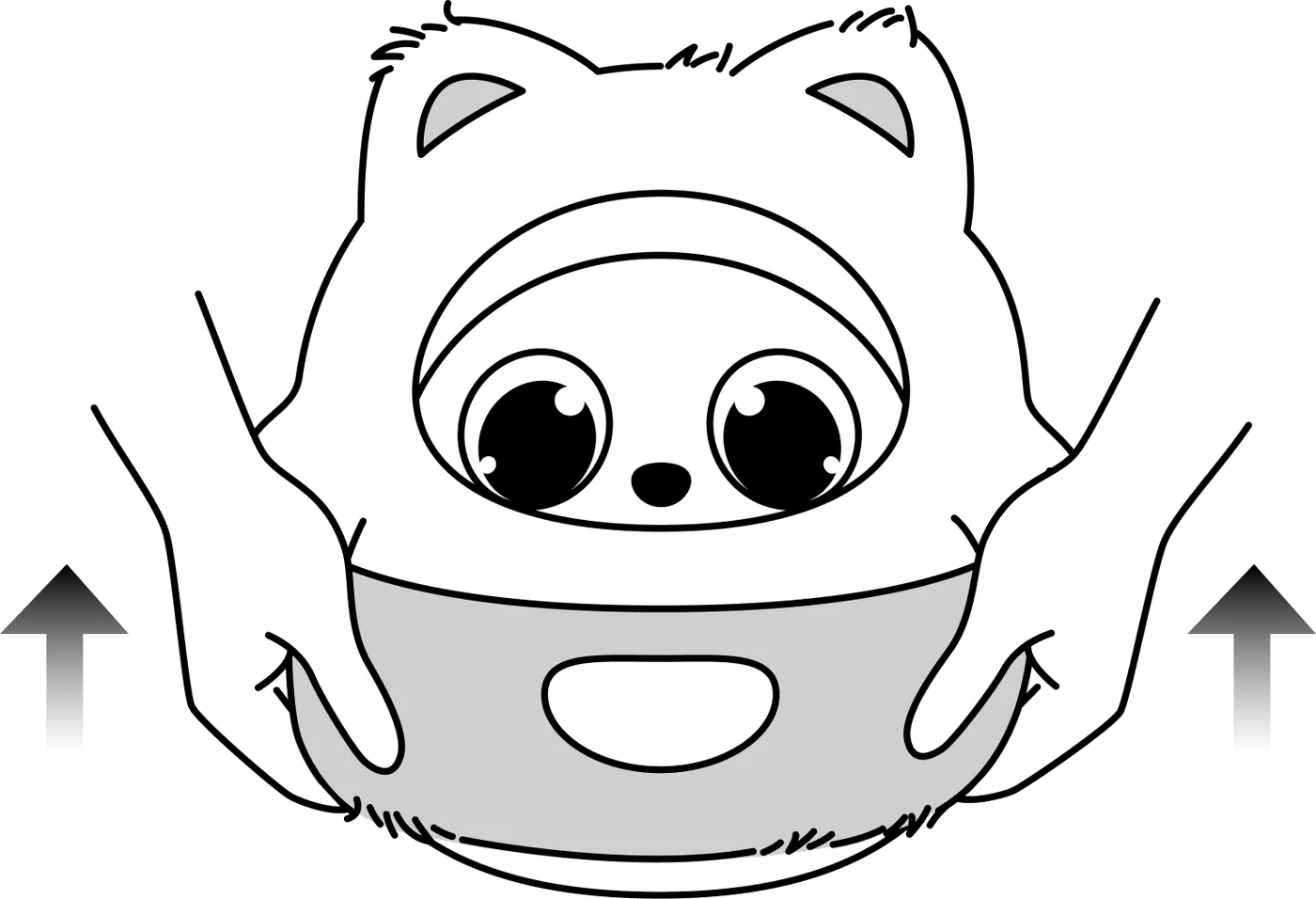
| STEP 01. Take it off Gently pull the current plush outfit up and off from the bottom. |
|
| STEP 02. Put it on Start at the top of her head and pull the new outfit down over her body, the way you would put on a jumper. |
|
| STEP 03. Settle it Feed her ears and hands through their openings, then adjust them so the outfit sits smoothly against her body. |
|
| STEP 04. Check Tidy the edge around her face. Make sure the breathing light is fully uncovered and the halo shows clearly. |
|
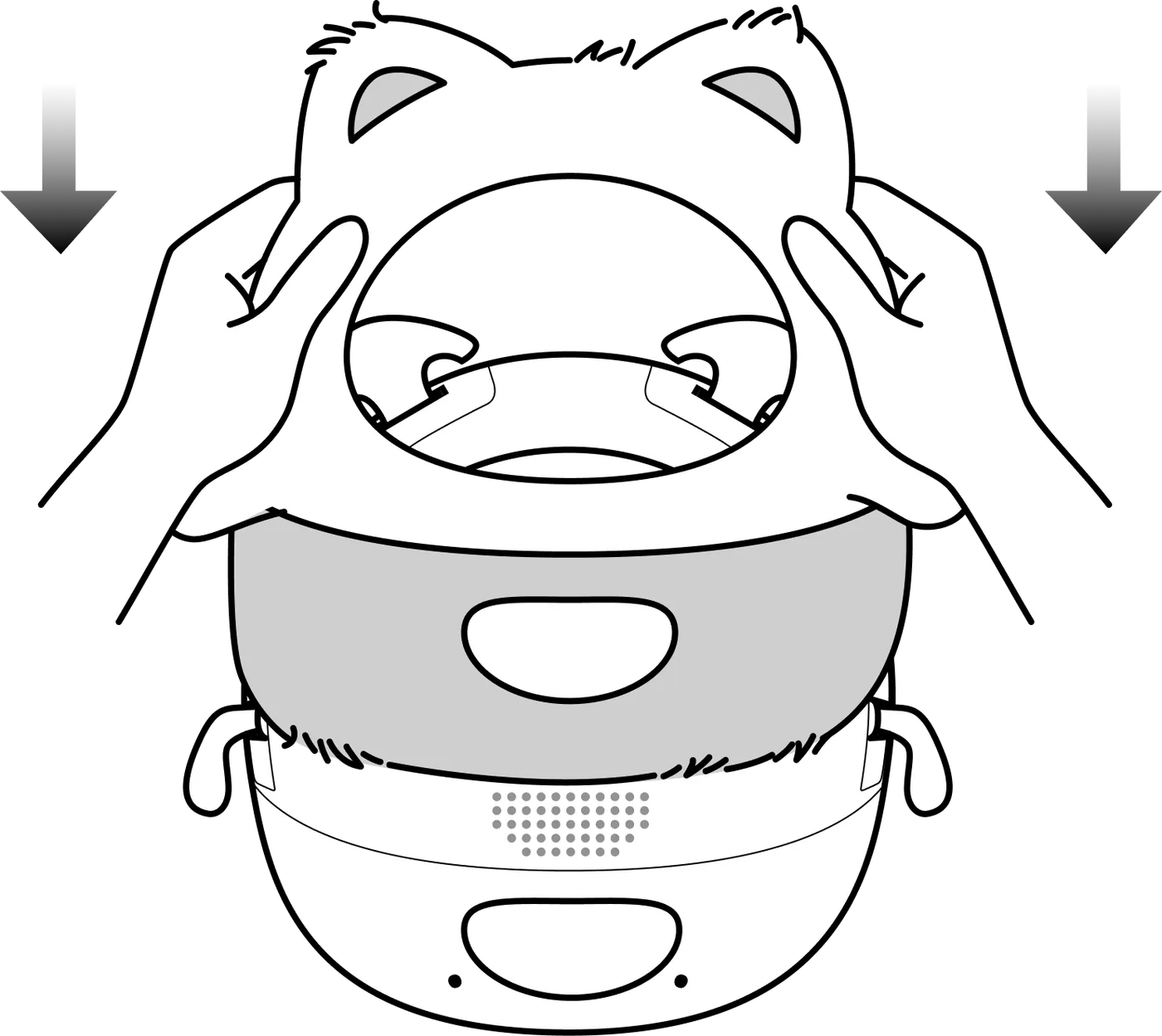
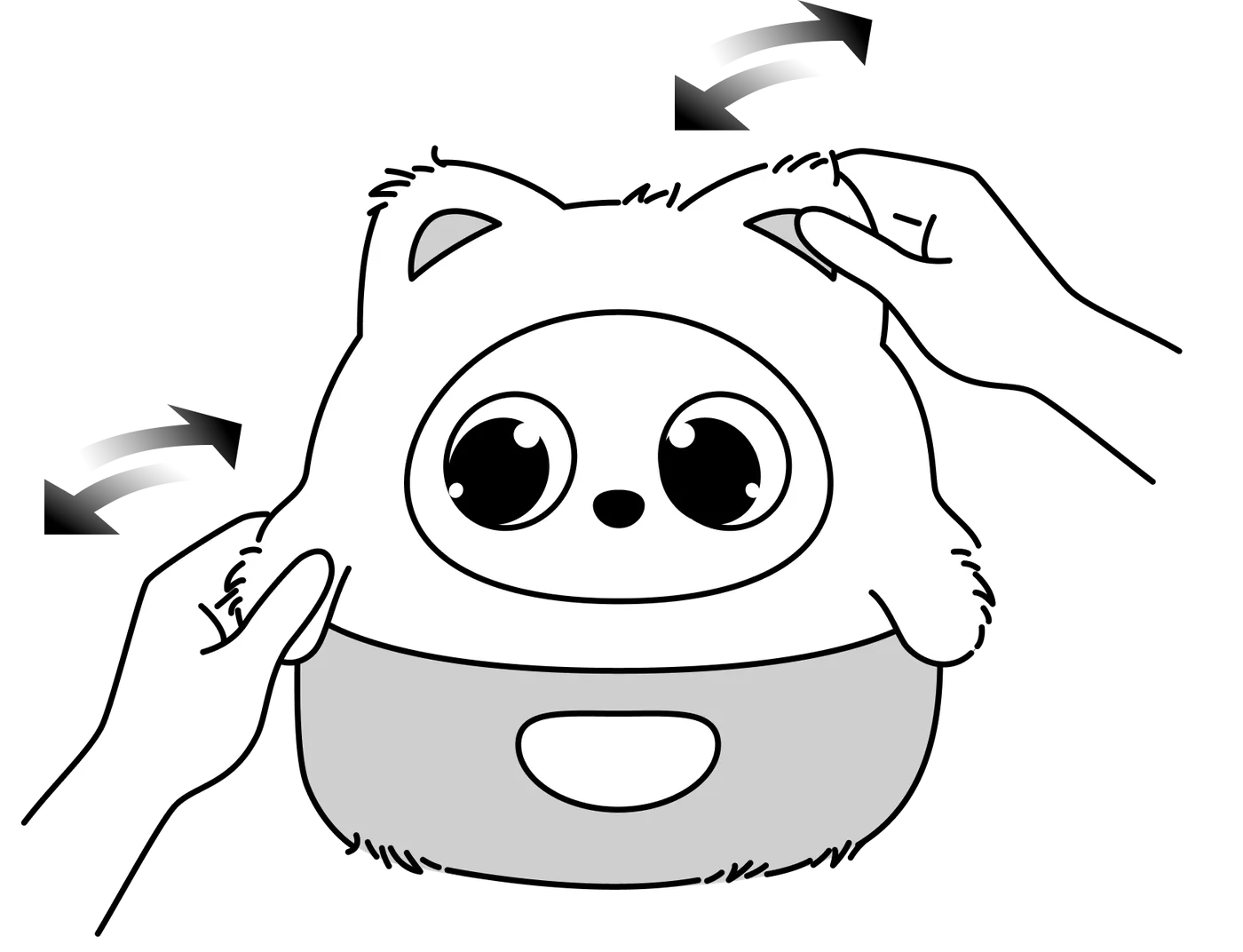

Once she's dressed, check these three things:
- Her ears and hands are all the way through their openings and not pressing against the lining
- The plush around her face is tucked inward, and the breathing light is completely uncovered
- The outfit fits closely but isn't tight
| ❌ Not right: loose plush edges hanging out over her face, and a frayed edge folded back over the breathing light ✅ Right: a clean, complete face outline, a tidy opening for the breathing light, and a clearly visible halo |
|
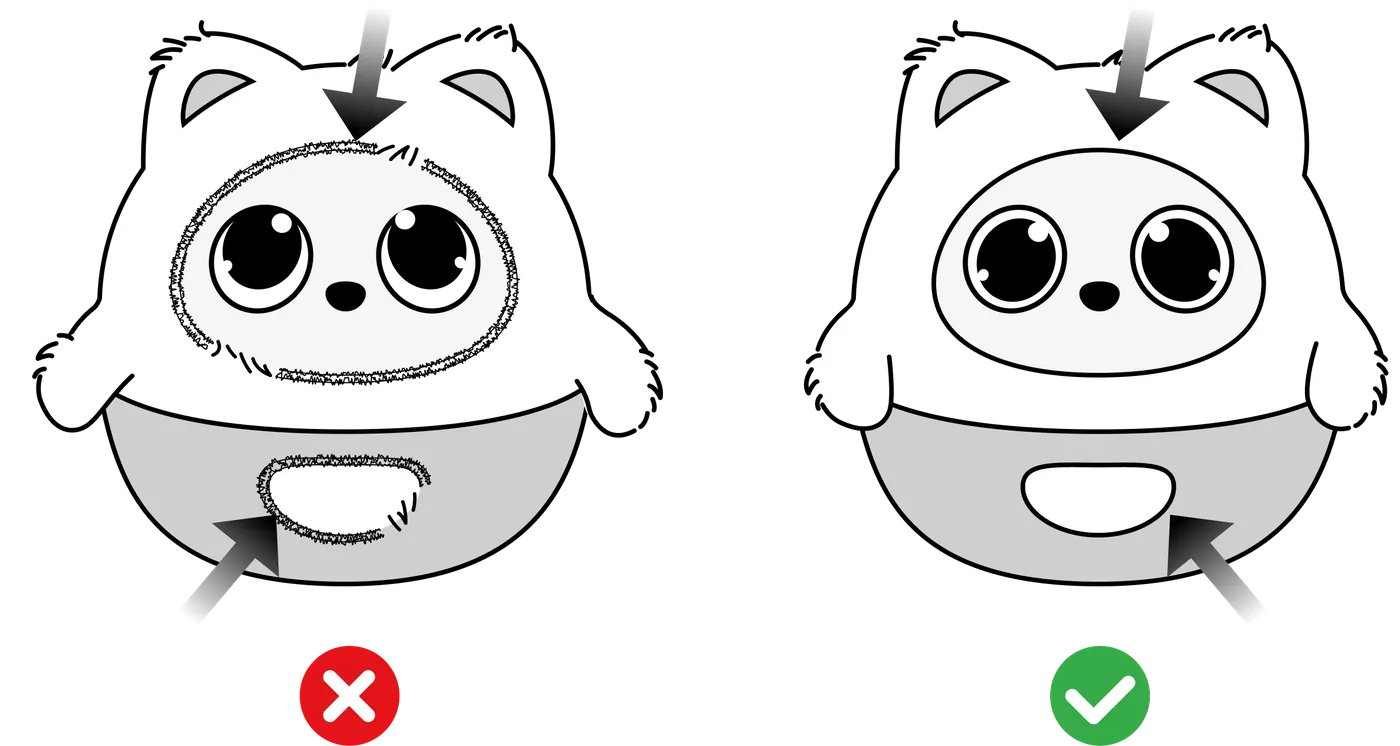
*Note: an outfit that is too tight or not fully in place can restrict a limb and make her movements louder. If an arm or an ear doesn't move freely, take the outfit off first and check whether it goes back to normal.
Caring for the Plush Outfit
- Washing: hand wash in cold water and air dry in the shade. Never machine wash or tumble dry.
- Loose fibres: a few loose fibres at first are normal; a lint roller lifts them off easily.
10. Status and Care
10.1 Status Indicators
| Software update: while Pophie is updating her system, the breathing light glows in rainbow colours. Please keep her plugged in throughout. |
|
| Low battery: she tells you when the battery is running low and goes to sleep, with the breathing light in orange. Please put her back on a powered charging dock. |
|
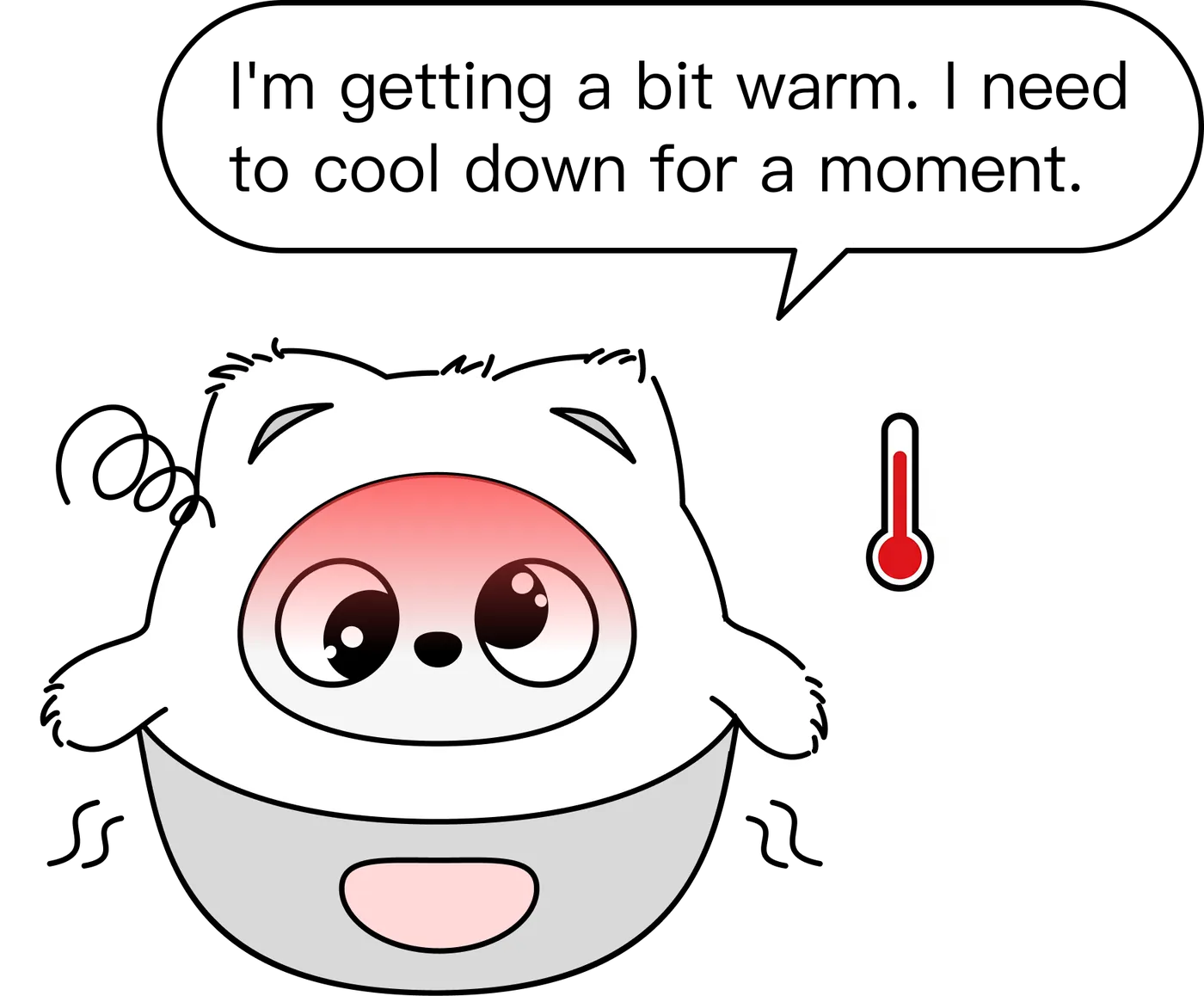
| Too warm: the breathing light turns red and she goes to sleep. Make sure nothing is blocking the vents underneath and leave her somewhere airy until she recovers. |
|
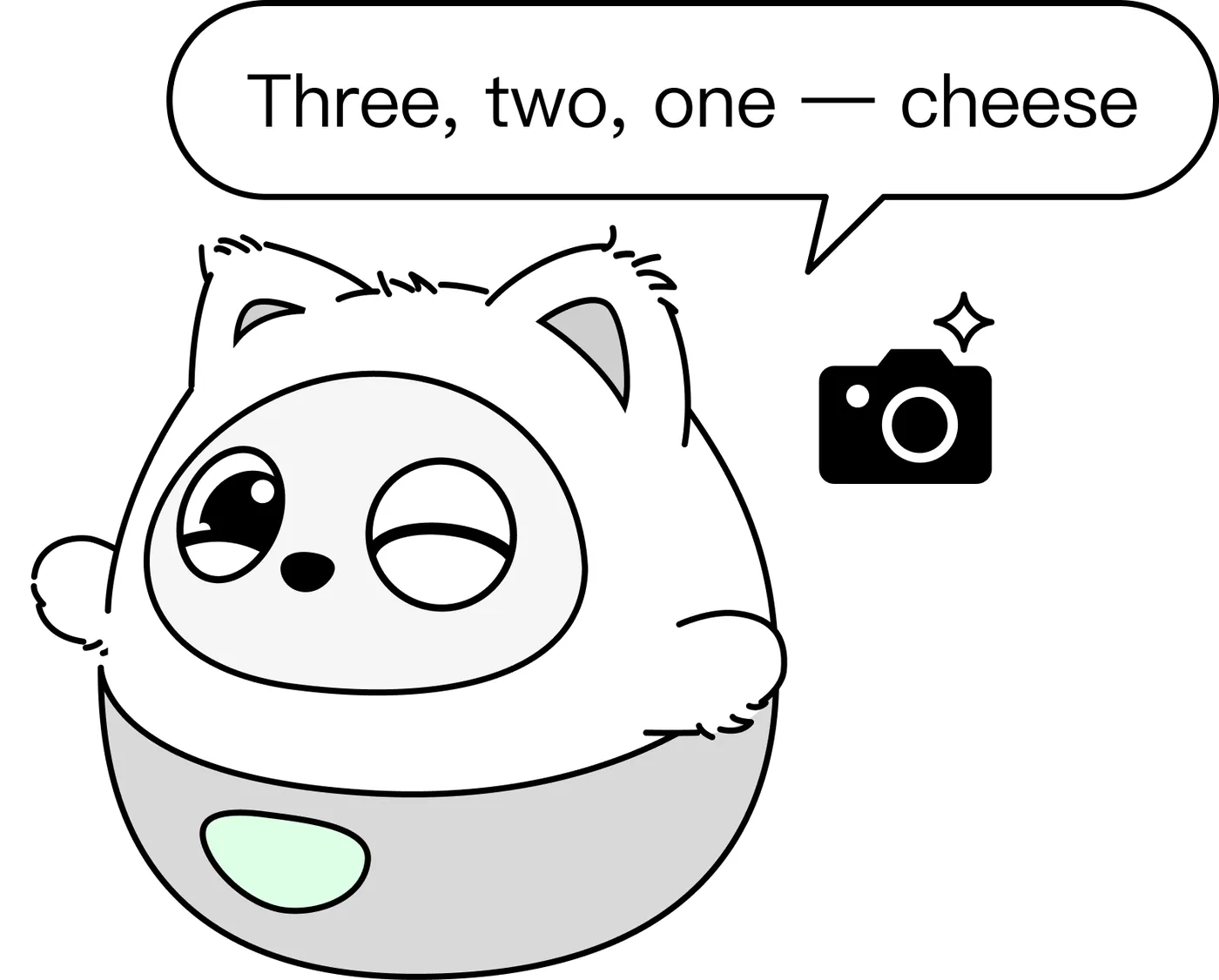
| Taking a photo herself: when Pophie takes a photo on her own, the breathing light turns green *Note: status indicators only appear while you are interacting with her. |
|
| Full mode: the breathing light is your custom colour — say "make your light blue" to change it. This applies to Full mode only. |
|
| Guardian mode: the breathing light turns pink; no conversation, only instinctive reactions and movement. |
|
| Private mode: the breathing light turns purple; all images are blocked and only voice interaction remains. |
|

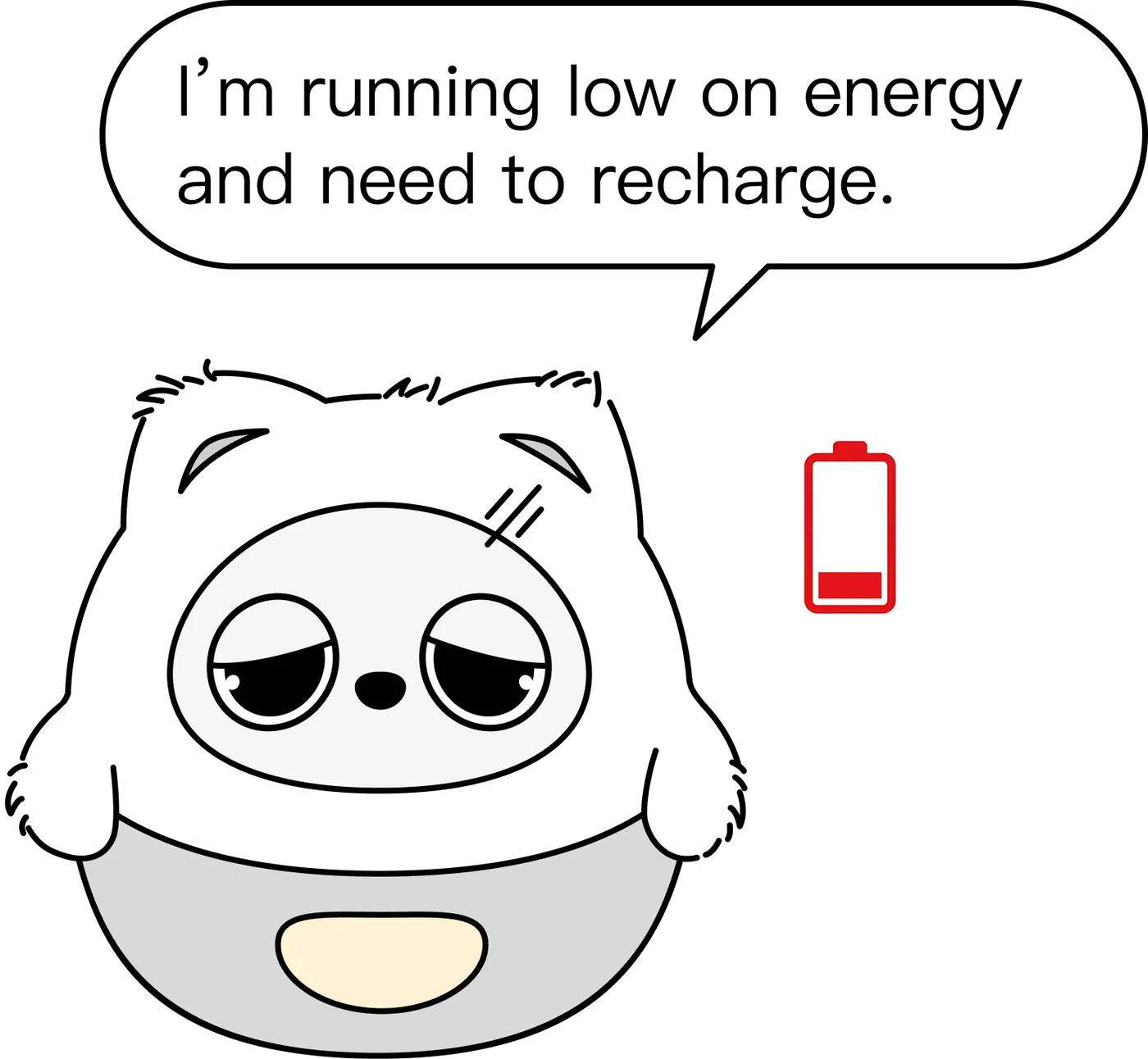



*Note: system warnings and status indicators (low battery, updating and so on) may temporarily override the colour you set. That is normal.
10.2 Care and Safety
- Cleaning: wipe her body, eye displays and lens with a dry microfibre cloth only. Never use alcohol, disinfectant, alcohol wipes or any cleaning product — her eyes and lens are acrylic/PC, which turns milky and crazes on contact. That damage is irreversible and not covered by the warranty.
- Environment: the ideal operating temperature is 0°C – 40°C. Keep direct sunlight off the lens.
- Water: this product is not waterproof; keep her away from water.
- Drops: there is a precision gearbox inside, and a fall can cause irreversible damage. Please use her on a flat, solid desk.
11. Product Safety and Compliance
This device complies with Part 15 of the FCC Rules. Operation is subject to the following two conditions:
- this device may not cause harmful interference; and
- this device must accept any interference received, including interference that may cause undesired operation.
Any changes or modifications not expressly approved by the party responsible for compliance could void the user's authority to operate the equipment.
Note: This equipment has been tested and found to comply with the limits for a Class B digital device, pursuant to Part 15 of the FCC Rules. These limits are designed to provide reasonable protection against harmful interference in a residential installation.
This equipment generates, uses and can radiate radio frequency energy and, if not installed and used in accordance with the instructions, may cause harmful interference to radio communications.
However, there is no guarantee that interference will not occur in a particular installation.
If this equipment does cause harmful interference to radio or television reception, which can be determined by turning the equipment off and on, the user is encouraged to try to correct the interference by one or more of the following measures:
- Reorient or relocate the receiving antenna;
- Increase the separation between the equipment and receiver;
- Connect the equipment into an outlet on a circuit different from that to which the receiver is connected;
- Consult the dealer or an experienced radio/TV technician for help.
This device has been evaluated to meet general RF exposure requirements. The device can be used in portable exposure conditions without restriction.
The FCC ID is on the body of the product and becomes visible once the plush outfit is removed.